Community Board
Share feedback, report bugs, suggest features, and track what we're building next.
Sign in to vote, post, and comment.
Pinned Announcements
What is Server Tick Rate?
Tick Rate, Explained: What FiveM's Jump to 120 Updates a Second Actually Means If you've shopped for FiveM hosting in the last few years, you've seen the word "tick rate" used as a selling point. High tick rate, better tick rate, 128 tick. It gets thrown around like RAM or CPU cores, as if it's a number you buy more of and everything gets smoother. Then Cfx published their development update for FiveM on GTAV Enhanced and dropped this line: server operators can now configure sync up to 120 updates per second, up from the previous 30. A lot of people nodded at that, and a fair number of them, honestly, had no concrete idea what it meant. So let me actually explain it from the ground up. Not the config value, the concept. What a tick is, why every multiplayer game in existence has one, what your client is quietly doing between them, and then what specifically changed in FiveM and whether you should touch the setting at all. The one-sentence answer A tick is one complete pass of the server's simulation loop, and the tick rate is how many of those it runs per second. Everything else in this post follows from that sentence. Your server does not watch the world, it takes photographs Here's the mental model that makes the rest of this click. It's tempting to imagine a game server as something that continuously watches the world unfold. It doesn't. It can't. A server is a program running on a CPU, and CPUs do things in discrete steps. So the server works in rounds. Each round it reads whatever input has arrived, moves everything forward a small slice of time, resolves what happened (this car is now here, that bullet hit that ped, this door is now open), and then sends out a summary of the new state to the players who need to know about it. That round is a tick. Do sixty of them a second and you have a 60 tick server. The consequence people miss: between two ticks, nothing happens on the server. The world is frozen from its point of view. If a car moves across a junction in the gap between tick 41 and tick 42, the server doesn't see a smooth arc. It sees the car at point A, then at point B. It's a flipbook, not a film. stats 30 ticks/sec | 33.3 ms | FiveM's old ceiling 60 ticks/sec | 16.7 ms | Enhanced default 120 ticks/sec | 8.3 ms | Enhanced maximum note This is not your frame rate. Your client might be rendering at 144 FPS while the server it's connected to is thinking at 30. Those are two completely separate clocks, and the gap between them is exactly why the next section exists.  Why not just crank it to a million If more ticks means a fresher view of the world, why does any server run at 30? Because a tick isn't free. Every single one costs CPU time, and that cost scales with how much world there is to simulate: number of players, number of entities, how much each of them is doing. Double the tick rate and you've roughly doubled the per-second cost of the simulation, and you've also roughly doubled how much sync data you're pushing out to every connected player. On a 64 player roleplay server with hundreds of vehicles and props streamed in, that is not a rounding error. Cfx's own [documentation for the new setting](https://docs.fivem.net/docs/developers/legacy-vs-enhanced/) says it plainly: > Tick rate for the sync thread. Higher values can reduce latency but increase CPU usage. That's the entire tradeoff in one line. Tick rate buys you a server with a fresher opinion about where everything is, and it pays for that with the CPU your scripts were going to use. What your client does in the gaps (this part is the real magic) A name worth knowing before we go further. Gabriel Gambetta wrote a free series called [Fast-Paced Multiplayer](https://www.gabrielgambetta.com/client-server-game-architecture.html), which is probably the clearest plain-English explanation anywhere of how networked games hide latency. It's four short articles plus a live demo, it's engine-agnostic, and it's the thing I point people at when they want to understand this properly. I'm quoting it a few times below because he phrases things better than I would. Here's the problem it solves. If your client simply drew other players exactly where the last server update said they were, multiplayer games would look terrible. At 10 updates per second, Gambetta notes, you'd get "very choppy movement, that is, discrete jumps every 100ms instead of smooth movement." Games fix this with three techniques that show up in basically every networked title, GTA included. Entity interpolation Instead of drawing other players at the newest known position, your client deliberately draws them slightly in the past, and smoothly plays back the movement between two snapshots it already has. In [Gambetta's words](https://www.gabrielgambetta.com/entity-interpolation.html), you're showing "actual movement data, except you're showing it 100 ms 'late'." You get smooth motion, and you pay for it by having everyone else on your screen be a fraction of a second behind reality. Which raises a fair question, and it's one I got asked while writing this: if everyone I can see is late, how come voice chat feels perfectly in sync? You talk to someone in a server, they wave while they say something, and the wave lines up with the words. Where did the delay go? Three things are happening. The delay is small, and it applies to everything equally. Your client isn't delaying the player model but not the voice. Everything arriving from the network is late together, by roughly the same amount, so nothing on your screen contradicts anything else on your screen. Their animation, their gesture and their words are all about a tenth of a second old, which means they line up with each other. There's no shared stopwatch in the room. The mismatch isn't between the picture and the sound, it's between my view of the world and your view of the world. In conversation there is nothing to compare those against. Neither of us can see the other's screen, so neither of us can catch the difference. And where it isn't perfectly aligned, we can't tell. Voice and entity sync are separate systems with separate delays, so some drift between them is inevitable. It just doesn't matter, because we are terrible measuring instruments at this scale. Broadcast engineers have put a number on exactly how far sound and picture can drift apart before a person notices at all: the broadcasting standard [ITU-R BT.1359-1](https://www.itu.int/rec/R-REC-BT.1359/en), "Relative timing of sound and vision for broadcasting", puts the detectability threshold at roughly 45 ms of audio ahead of video to 125 ms behind it. A tenth of a second of drift sits comfortably inside the range where people register nothing at all. The moment this stops being free is the moment two players need to agree on an exact instant: who shot first, whose bumper hit whose door, who got through the gate. That's where the third technique comes in. Client-side prediction Your own vehicle can't be late, or the game would feel like driving through syrup. So your client simulates your own inputs immediately and locally, then reconciles with the server's version when it arrives. This is why, in a laggy session, your own car drives fine while everyone else stutters. This is the same split I wrote about in the [raycasting post](https://www.osmfxmods.com/blog/how-raycasting-actually-works-in-fivem-shapetests-explained-f9h3pn): shape tests run against the local physics world, so only the client can answer "what am I looking at right now." The client casts the ray, reports the result, and a well-built script then has the server validate that result rather than trusting it. Predict locally, confirm authoritatively. That pattern is everywhere once you start looking for it. Lag compensation This one deserves more than a sentence, because it's the least intuitive of the three. When you pull the trigger, the target on your screen was drawn from data that was already old. It came from a server snapshot, which your client then deliberately held back for interpolation, on top of however long the packet took to reach you. Call it 100ms, conservatively. By the time your "I shot at that spot" message gets back to the server, more time has passed again. So the server has a decision to make. If it tests your shot against where everything is now, you'd miss, because your target has moved since the frame you aimed at. You'd have to lead every single target by your ping, which is unplayable. Instead, the server keeps a short history of where every player has been. When your shot arrives, it rewinds the world back to the state you were actually looking at when you fired, checks the shot against that older state, and then returns to the present to apply the result. You aimed at what you saw, and the server agrees with what you saw. That is also the explanation for the most complained-about moment in online shooters: getting killed after you're already behind cover. On the shooter's screen you were still out in the open, the server rewound to their view, and their shot legitimately landed. Nobody cheated. Two people just disagreed about what "now" meant. Put all three together and you get the honest picture: tick rate sets the size of the gap, and these techniques are what everything else uses to paper over it. Raising the tick rate doesn't add smoothness directly. It shrinks the amount of guessing and back-dating the system has to do.  How other games handle it, for scale It helps to see the numbers other studios land on, because it tells you what "high" even means. Riot runs VALORANT at 128 ticks per second and is unusually open about the engineering. In [their netcode writeup](https://www.riotgames.com/en/news/peeking-valorants-netcode) they describe it as a hard guarantee: "clients and servers always update movement, physics, and other related systems with a fixed timestep: exactly 128 times per second." What's instructive is what they say it buys them. Riot works through peeker's advantage, the edge the player swinging around a corner has over the player holding it, and this is where everything above connects up, so it's worth walking the chain. The peeker's own client draws their movement instantly, because of client-side prediction. They see around the corner the moment they move. The defender, meanwhile, learns about it only after that movement has travelled: up to the server, waited for a tick to be processed on, been sent back out, sat in the defender's interpolation buffer, and finally been rendered and pushed out of their monitor. Every one of the delays we covered stacks on the same side. Riot budget it in fractions of a server frame: "0.5 frames" waiting for the point in the frame where input gets queued, "0.5 frames" of network buffering, "1 frame" where the move is applied and output, and then three more frames of client-side buffering and rendering. Plugging in 128 tick servers and 35ms latency, they conclude that "peekers have ~141ms longer to react than defenders." All their investment in tick rate and infrastructure shaved off "~40ms (28%) of our baseline peekers advantage." Notice what a "frame" is in that budget: 1 divided by the tick rate. That's the actual mechanism by which tick rate helps. It doesn't make the network faster or the speed of light shorter. It makes each waiting room smaller. At 30 ticks a server frame is 33ms; at 120 it's 8ms. Same chain, shorter queues. And read Riot's result twice, because it's the honest lesson. A studio with their resources, running a 5v5 shooter on a small map, at 128 ticks a second, still ends up with a meaningful timing asymmetry. They reduced it by a bit under a third. They did not delete it. Now compare the workload. VALORANT: ten players, one enclosed map, no traffic, no pedestrians, no persistent world. A FiveM roleplay server: dozens to hundreds of players spread across an entire city, plus vehicles, peds, props, doors, and whatever your scripts are spawning. What is cheap to simulate 128 times a second in a small arena shooter is a very different proposition in Los Santos. That context is why FiveM's numbers historically looked the way they did. How FiveM used to work FiveM's sync story has two eras, and knowing both is what makes the Enhanced change make sense. Era one: the server as a mailman GTA's own multiplayer was built peer to peer, and FiveM inherited that. With OneSync turned off, the [Cfx server commands documentation](https://docs.fivem.net/docs/server-manual/server-commands/) describes the onesync convar's off mode exactly like this: > No state awareness at all, clients will use the standard GTA/RAGE P2P networking model, and the server will only function as a relay. Read that carefully, because it's a fundamentally different architecture from what most people assume. The server wasn't simulating your world. It was forwarding messages between clients who were simulating it themselves, each one owning some slice of the entities. Which raises the obvious question: if the server was just a relay, what stopped everybody cheating? Two answers, and the first one surprises people. The sync layer and your script layer were never the same system. Even in relay mode, your server-side Lua was still running on the actual server, and it was the only thing that could reach your database. ESX or QBCore never asked a client how much money it had, they looked it up server-side and wrote it back server-side. So a player's bank balance was server-authoritative long before entity sync was, because it lived in a completely separate system that the P2P model never touched. The onesync setting governs state awareness of entities, not whether your server runs code. But everything the sync layer did own, the client really did control. Its ped's position, its vehicle's state, the entities it owned: those were its property to report, and the network took its word for it. That is the structural reason old FiveM security advice is shaped the way it is. The advice was never "validate positions in the sync layer," because you couldn't. It was never let a client tell you something that matters. Any event that moves money or items has to re-derive the truth on the server, which is exactly the trust boundary I went through in the [anti-patterns post](https://www.osmfxmods.com/blog/9-fivem-coding-anti-patterns-that-quietly-break-your-server-0u7bv6). Era two: OneSync OneSync is probably the most consequential thing Cfx has built, and "it gives you more slots" badly undersells it. The vanilla model has a structural ceiling. Every client has to know about every other client, because they're all each other's sync partners, and that caps you around GTA Online's player count no matter how good your hardware is. It also means the client is the authority for whatever it happens to own. [OneSync](https://docs.fivem.net/docs/scripting-reference/onesync/) inverts the relationship. The server becomes state aware: it keeps its own model of every entity in the world and decides which clients need to know about which entities. In Cfx's words, it "increases server slot count so more players can play on a server and at the same time it introduces better development standards including server-sided synchronization states for entities." Three things fall out of that, and they're the three reasons every modern framework assumes OneSync is on: Slots. With the server routing entity state instead of every client broadcasting to every other client, the ceiling moves from tens of players to, on OneSync Infinity, up to 2048. Part of that was mechanical: the object ID space had to be extended from 8192 to 65535 to even address that many things. Server authority over entities. The server now has its own opinion about where things are, rather than taking a client's word for it. Server-side entity creation, entities locked so only the server can author them, and state bags all become possible. This is the layer that let "server-authoritative" go from a discipline you enforced in your own event handlers to something the platform actually supports. Culling. The catch is that a state-aware server telling every client about every entity would be enormously wasteful. So OneSync only creates entities near a player, with the focus zone documented as "hardcoded to 424 units around a player." Necessary, and also the direct explanation for why distant things pop into existence as you drive toward them. That's the era most live servers still run in today. But the send rate underneath it was modest. Per [Cfx's development update](https://forum.cfx.re/t/development-update-3-fivem-for-gtav-enhanced/5415045), the old ceiling was 30 updates per second, or 40 with svuseAccurateSends enabled. Roughly one sync update every 25 to 33 milliseconds. Culling had its own bottleneck too: previously "it ran on the sync thread and could only process around 16 players per tick," which is a fair explanation for why pop-in got noticeably worse as your server filled up. What actually changed on Enhanced FiveM for GTAV Enhanced entered public early access on July 21, 2026, and the sync layer was rebuilt rather than tuned. The headline change, straight from the [Legacy vs Enhanced documentation](https://docs.fivem.net/docs/developers/legacy-vs-enhanced/): > FiveM for GTAV Enhanced no longer uses P2P synchronization and has instead switched to a client-server model. That is the architectural end of era one. The relay is gone, and with it the last of the peer to peer model that every "never trust the client" lesson above was written against. Underneath it, the transport changed too: per [development update 3](https://forum.cfx.re/t/development-update-3-fivem-for-gtav-enhanced/5415045), sync data now goes out as raw UDP packets with ENet retained for event based communication, and culling came off the sync thread so it "runs across multiple cores inside the sync pipeline, so entities appear around players much faster." That's the ~16 players per tick bottleneck from the OneSync section, gone. And then the setting itself. svsyncTickRate accepts a value from 1 to 120, and defaults to 60. stats Old sync rate | 30 to 40 Hz | previous ceiling New default | 60 Hz | 2x the old default New ceiling | 120 Hz | configurable Culling | multi-core | was ~16 players/tick  note Enhanced is early access at the time of writing, and Cfx have said plainly that it "will contain bugs and missing features," so treat these numbers as the current state rather than the final one. There's a lot more in that release than the sync rewrite, and it deserves its own article rather than a paragraph here. What raising your tick rate actually buys you So when is this setting worth spending CPU on? The useful way to think about it is that tick rate matters wherever two players have to agree on an exact moment or an exact position. The clearest way to see it is in metres. A car doing 120 km/h covers about 33 metres every second. Work out how far it travels between two server updates: stats At 30 Hz | 1.11 m | between updates At 60 Hz | 0.56 m | between updates At 120 Hz | 0.28 m | between updates That gap is the size of the disagreement the rest of the system has to smooth over. At 30 Hz, every other client's view of that car is being interpolated across a metre of road. At 120 Hz it's the width of a wheel. Nothing about the network got faster, but the window in which two players can hold different opinions about where that car is got four times smaller. So the use cases the setting exists for: Contested, high-speed contact. Racing and drifting side by side, police pursuits and PIT manoeuvres, ramming, anything where two vehicles are close together at speed. This is where players actually feel it, usually described as "his car teleported into me." Gunfights. Same logic as the peeker's advantage chain above. Shorter queues mean less rewinding for the server to do and less disagreement about who was where. Anything with fast-moving entities near each other. Helicopters, boats in a race, a chase through traffic. And the flip side, where the money is better spent elsewhere: a heavy roleplay economy server where most of what's happening is people standing in buildings talking, running jobs, and opening menus. Nobody in that server is going to feel the difference between 60 and 120, and the CPU it costs is CPU your resources wanted. What it will not fix This is the part I want server owners to take away, because I can already picture people setting svsyncTickRate 120 and wondering why nothing feels different. It will not fix your resources. The sync thread and your script scheduler are different things. A resource sitting in a Wait(0) loop drawing markers for every player on the map is burning frames regardless of how often the server syncs entity state. If your resmon is red, tick rate is not your problem, and raising it just means the same starved CPU now has more work to do. I went through the specific patterns that cause this in the post on [FiveM coding anti-patterns](https://www.osmfxmods.com/blog/9-fivem-coding-anti-patterns-that-quietly-break-your-server-0u7bv6). It will not fix ping or client FPS. Tick rate removes one source of staleness out of several. It does nothing about the 60ms of network latency between a player in Brazil and a server in Frankfurt, and nothing about a client rendering at 25 FPS because of a bloated asset pack. Look again at Riot's budget: the server frame is one term in a long chain. It will not fix having too much stuff. If you've got a thousand streamed entities crowded into one district, the fix is culling and streaming discipline, not asking the server to think about all of them twice as often. The practical advice, then, is boring and correct: the new default of 60 is already double what your server was getting before. Start there. If your server is the kind described above, try higher, but change one value at a time, watch your CPU and frame timings under real player load, and keep it only if you can point at the improvement. Setting it to 120 because it's the biggest number is exactly the kind of change that looks free on an empty test server and hurts on a full one. Zooming out Tick rate is really a question about resolution. It's how finely your server samples reality, and like any sampling problem, higher resolution costs you CPU and bandwidth while the client quietly interpolates, predicts and rewinds to make the gaps invisible. That framing is more useful than any specific number, because it tells you when the setting is worth spending on and when it isn't. Fast, contested, precise interactions benefit from a fresher view. A busy city full of ambient traffic mostly benefits from the server having enough headroom left to run the scripts people are actually playing. > Tick rate doesn't make your server smooth. It shrinks the lie your client has to tell to make it look smooth. The Enhanced rewrite matters because it moved the whole architecture, not just the number. Client-server instead of peer to peer, culling across multiple cores, a default that's twice what it was. The 120 is the headline. The architecture underneath it is the actual story. --- At [OsmFX Mods](https://osmfxmods.com) we build performance-first scripts for QBCore, ESX, and QBOX, written to stay cheap per tick so your CPU budget goes to the things players actually notice. If you'd rather install things that already respect the server's time, [have a look around the store](https://osmfxmods.com). And if you're sizing up what any of this means for your own setup, that's exactly the kind of thing I like digging into here.
Crime Without Cops: Why FiveM Servers Die From Missing Thrill, Not Missing Scripts
You did everything right. You bought the good robbery script, the fancy heist, the drug system with the nice UI, the car boosting job, the whole crime economy. Opening week the server is buzzing. Two weeks later it's a ghost town, and you're sitting there refreshing the player count wondering what you missed. Here's the uncomfortable part: you probably didn't miss a script. Most servers that quietly die aren't short on content. They're short on consequence. Your players can rob the bank, and then nothing happens. No sirens, no chase, no risk of losing the bag. And a crime you can't lose isn't a crime, it's a vending machine. The one thing that actually keeps players logging in Let me say the whole point up front, then unpack it: players don't stay for the reward, they stay for the risk of losing it. The dopamine isn't in the money hitting your account. It's in the ten seconds before, when you don't know if you're going to get away. Think about why the bank job is fun in the base game, or in any server that gets it right. It isn't the payout number. It's the alarm going off, the cop showing up when you weren't ready, the decision to run or surrender, the heart-rate spike when you nearly make it to the tunnel. Take the cop out of that picture and you're left with a spreadsheet. Players feel that instantly, even if they can't put it into words. They just log off and don't come back. This is why the "I have every script and still no players" problem is so common. Content gives people something to do. Consequence gives them a reason to care. GTA's built-in cops were never built for your server "Okay, so I'll just turn the game's cops back on." I promise you don't want that, and here's why. GTA V's stock police are famously rough. Get a wanted star and officers essentially spawn on top of you, teleport in from nowhere, and behave in ways that feel more like a bug than a threat. This has been a running complaint in the GTA community for years, and it gets worse in a persistent roleplay world where players expect things to make sense. That's exactly why nearly every FiveM framework ships with the native cops switched off by default. If you dig into QBCore, QBOX, or ESX, you'll find them quietly disabling the whole thing: no random cop spawns, no ambient police cars, wanted dispatch services turned off, even the wanted stars removed from the HUD. They do this on purpose, because the vanilla system fights against roleplay instead of supporting it. Which leaves you with a gap most owners don't notice until it's too late. The frameworks removed the bad cops, and assumed you would bring real ones. On a big, established server, you do: you've got a whole police department full of players. On a new or small server at 3 AM? You've got nobody.  The 3 AM problem Every server owner eventually meets this problem. Your crime scripts run 24/7. Your police force does not. Real officers are the ideal answer when they're online. But you cannot roster a full PD around the clock, especially early on when you're still trying to attract those exact players. So your peak hours feel alive and your off hours feel dead, and the off hours are precisely when a curious new player often shows up to try you out. They rob a store, wait for something to happen, and get silence. First impression: this server is empty and nothing matters here. They leave. You can't hire your way out of that gap on day one. The department comes after the server is fun, not before. So the real question is how you make crime feel risky during all the hours you don't have cops online. What "consequence" actually feels like When it works, a wanted level should kick off a little story, not a status effect. A response gets dispatched. A cruiser actually comes looking for you. There's a pursuit, and then a real decision point: do you surrender, or do you run? If you're caught, you're not just teleported to a cell. You get cuffed, walked to the car, and driven to jail, and even then it's not over. Maybe you try to pick the lock and dive out of a moving cruiser. Maybe you talk your way out. Maybe you slip the officer some cash and hope it works, knowing it might backfire and land you more time. That is the difference between "you lost, respawn" and a moment players tell their friends about. Every one of those beats is a chance for the outcome to swing, and swing is what makes it worth doing again. You can see a full run of this idea, dispatch through pursuit through the arrest and the escape attempts, in the showcase here: grid  The point isn't any single feature. It's that the crime finally has a second half. The robbery was always only half a scene. The response is the other half, and without it the whole thing falls flat no matter how polished the robbery script is. So what do you actually do about it Practically, you've got three moves, and they're not mutually exclusive. Build a real PD. Do this eventually, it's the best version once you have the population to sustain it. Just don't expect it to carry you through launch. Fake it with base-game cops. Cheap, but you'll be fighting the same broken AI your framework already went out of its way to disable. Most owners try this for a weekend and turn it back off. Fill the gap with a proper AI response layer that steps in when no real officers are on duty, and steps aside when they are. This is the middle path that keeps crime meaningful at 3 AM without stepping on your human police during peak. It's exactly the itch our own [AI Law Enforcement](https://www.osmfxmods.com/product/5466469) script is built to scratch, and it plugs into the crime scripts you already own rather than replacing them. callout Whatever you choose, the test is the same: after a player pulls off a crime, does the server push back? If the answer is "not really," that's the leak, and no amount of new content will plug it. Zooming out It's easy to believe the next script is the thing that'll finally make your server sticky. Sometimes it is. But far more often the missing piece isn't more to do, it's more at stake. A server lives or dies on whether its moments feel earned, and moments only feel earned when they could have gone the other way. So before you buy the next big crime script, look at the ones you already have and ask what happens to a player the second after they commit the crime. If the honest answer is "nothing," you've found your problem, and the good news is it's a fixable one. If you want a shortcut on the police half of that equation, that's most of what we build over at [OsmFX Mods](https://osmfxmods.com), for QBCore, ESX, and QBOX. And if you'd rather just trade notes on keeping a server alive, that's a conversation I'm always up for.
9 FiveM Coding Anti-Patterns That Quietly Break Your Server
I spend a lot of time reading other people's FiveM scripts. Some of it is research, some of it is curiosity, and honestly some of it is just that I can't help opening a client.lua the way other people can't help checking their phone. And after enough of that, you start seeing the same handful of mistakes over and over — not exotic bugs, just patterns. Ways of writing code that technically work on an empty test server and then quietly fall apart the moment thirty real players show up. The tricky thing about anti-patterns is that most of them don't announce themselves. Your script loads, the feature works when you test it alone, the release thread gets a few likes. The damage shows up later — as server hitches nobody can trace, as an economy that slowly inflates, as a "why can't I get my car out of the garage" ticket that turns out to be three resources fighting over the same value. So I want to walk through the ones I see most, sorted roughly by how hard they are to catch. We'll start with the stuff you can spot by eye, move into the ones that need you to actually think about how the server behaves, and end with the quiet, critical ones that don't look like bugs at all until someone exploits them. Every point here is something I've either seen in a real release or run into myself. callout One honest disclaimer up front: I link real free forum releases as examples, because concrete beats hypothetical every time. This isn't about dunking on anyone — most of these authors gave their work away for free, which is more than a lot of us do. The point is the pattern, not the person. The three tiers, and why "easy to spot" isn't the same as "low impact" Before the list, one framing that's saved me a lot of grief. How visible a mistake is and how much damage it does are two completely different axes. A missing Wait crashes your client instantly — extremely visible, and you'll fix it in ten seconds. A missing server-side check does nothing at all until a cheater finds it six months in, and then it drains your economy overnight. So as we go from "easy" to "critical" here, we're not going from small to big. We're going from loud to silent. The loud ones train you. The silent ones are the ones that actually take servers down. callout TIER ONE — EASY TO SPOT. These are the anti-patterns you can catch just by reading, no server needed. If you're reviewing a script before you buy or install it, this is your first pass. 1. The unyielding loop (or the near-unyielding one) The most famous FiveM footgun. A loop that never yields hangs the entire thread — and because everything in a resource shares that scheduler, an infinite loop with no Wait can freeze your whole client or server solid. lua -- This will hang everything. while true do doSomething() -- no Wait() -- the thread never gives control back end Everyone learns this one fast, because it fails so hard you can't miss it. The [Cfx.re docs on Citizen.CreateThread](https://docs.fivem.net/docs/scripting-reference/runtimes/lua/functions/Citizen.CreateThread) spell it out: a CreateThread loop needs a Wait inside it or it starves the scheduler. But the sneakier version of this isn't the missing Wait — it's the too-frequent one. Wait(0) runs your loop every single frame. That's correct and necessary for things that genuinely must draw every frame (like DrawMarker or DrawText3D), but people reach for it reflexively for logic that has no business running 60-plus times a second. lua -- Checking a job status every frame? Why? CreateThread(function() while true do local job = getPlayerJob() -- runs ~144×/sec on a 144Hz monitor updateHud(job) Wait(0) end end) note A subtlety a lot of people get backwards: if something must run every frame, use Wait(0), not Wait(5) or Wait(10). On a high-refresh monitor, a fixed millisecond wait actually skips frames and makes per-frame work look janky. Wait(0) means "next frame, whatever the framerate is." Save the bigger waits for logic that genuinely doesn't need frame precision — a job check is fine at Wait(1000). The fix is just to ask "how often does this actually need to happen?" and set the wait accordingly. A HUD value that changes when your job changes can poll once a second, or better, only update when it's pushed a change. This is the single cheapest performance win in FiveM and it costs you nothing but a moment of thought. 2. Doing expensive work every frame instead of throttling it This is the same instinct as above but it shows up specifically around drawing and distance checks, and it's worth its own section because it's everywhere. DrawMarker and DrawText3D genuinely have to run every frame to appear — that part's unavoidable. What's avoidable is running the distance math and the loop over every marker every frame, including the markers that are 300 metres away and invisible.  The pattern that fixes it is the "dynamic sleep" loop: default to a long wait, and only drop to Wait(0) when the player is actually near something that needs per-frame drawing. lua CreateThread(function() while true do local sleep = 1000 local p = GetEntityCoords(PlayerPedId()) for , m in pairs(markers) do if (p - m.coords) < 20.0 then sleep = 0 DrawMarker(--[[ ...m.coords... ]]) end end Wait(sleep) end end) When nobody's near a marker, that loop sleeps a full second and costs essentially nothing on resmon. When you walk up to one, it snaps to per-frame drawing. Same visual result, a fraction of the cost. The [community performance guides](https://gist.github.com/nnsdev/c18a5684ad8c03bda882fcd775eaf695) have been preaching this for years and it still gets ignored constantly. One small companion habit while you're in here: use (vectorA - vectorB) for distance, not GetDistanceBetweenCoords. The vector-length operator is a native Lua operation and measurably faster than the native call — small on its own, but it's the kind of thing that runs thousands of times a second. 3. Re-fetching things that never change (or that you already have) The third eye-catchable one: calling the same native over and over when one call would do. The classic is PlayerPedId() — I've genuinely seen scripts call it a dozen-plus times inside a single function, when the ped handle is the same for the whole call. lua -- Anti-pattern: same handle, fetched five times SetEntityHealth(PlayerPedId(), 200) local coords = GetEntityCoords(PlayerPedId()) if IsPedInAnyVehicle(PlayerPedId(), false) then TaskLeaveVehicle(PlayerPedId(), GetVehiclePedIsIn(PlayerPedId()), 0) end lua -- Fix: fetch once, reuse local ped = PlayerPedId() SetEntityHealth(ped, 200) local coords = GetEntityCoords(ped) if IsPedInAnyVehicle(ped, false) then TaskLeaveVehicle(ped, GetVehiclePedIsIn(ped), 0) end Individually these calls are cheap. But cache them anyway — partly for the tiny performance gain, mostly because the cached version is easier to read and reason about, and readability is what stops the next three tiers of bugs from creeping in. Clean local variables are a load-bearing habit, not a cosmetic one. callout TIER TWO — MODERATE. Now it gets less visual. These don't look wrong on the page. You have to understand how the server actually behaves over time, across players, to see the problem. 4. Polling the server on a timer when an event would do Here's one straight from a real release. While reviewing a [free ESX plate-switcher script on the forums](https://forum.cfx.re/t/free-esx-nkhd-plate-switcher-v2/5218047/112), I found this on the client: lua while true do TriggerServerEvent('nkhdchangePlate:getIdentifier') TriggerServerEvent('nkhdchangePlate:getPlateData') Citizen.Wait(100) end Read that carefully. Every client, ten times a second, forever, fires two server events — and on the server those events run database queries. So you've built a system where a hundred connected players generate two thousand database round-trips per second, whether or not anything changed. The data it's fetching updates maybe once every few minutes when someone tapes a plate. It's polling a mailbox ten times a second for a letter that arrives twice a day. This is the pattern to internalise: don't poll for state that changes rarely — push it when it changes. The server already knows the moment the plate data changes, because it's the one changing it. So have it TriggerClientEvent the affected client(s) at that moment, and let the client sit quietly the rest of the time. You go from thousands of queries a second to a handful an hour. For truly shared state, this is also exactly what [state bags](https://docs.fivem.net/docs/scripting-manual/networking/state-bags/) exist for — set a value once and it syncs to whoever needs it. 5. Global state where per-player state belongs This one is genuinely subtle and it was hiding in that same plate-switcher. The client stored fetched data into plain globals: lua RegisterNetEvent('nkhdchangePlate:receivePlateSwitcherData') AddEventHandler('nkhdchangePlate:receivePlateSwitcherData', function(data) for , row in ipairs(data) do identifiern = row.identifier -- global, overwritten each row platen = row.plate modeln = row.model end end) That loop doesn't collect the data — it walks the whole dataset and keeps only the last row. Because those variables are global and unscoped, each client ends up tracking whatever the most recently taped vehicle on the entire server was. Play it forward. Player A tapes their car. Later, Player C tapes theirs. Player A's identifiern just got silently overwritten with Player C's identifier. So when Player A tries to un-tape their own vehicle, the ownership check: lua if identifiert == identifiern then now fails, because identifiern belongs to Player C. In practice only the last person to tape anything can un-tape. Everyone else is locked out of their own action, and nobody can figure out why because the code "looks fine." The lesson isn't about plates. It's that any time data belongs to a specific player or entity, it needs to be scoped to that player or entity — a table keyed by identifier, a state bag on the entity, something with a per-owner slot. The moment you stash per-player data in a shared global, you've built a race condition that only shows up with more than one player online. Which is exactly why it survives testing and dies on launch night. 6. Never cleaning up what you spawn Resources start and stop constantly on a live server — restarts, updates, crashes, txAdmin doing its thing. If your script spawns entities, opens threads, or creates blips and never cleans them up on stop, you leak. Restart a vehicle-spawner resource a few times and you'll find [orphaned vehicles piling up in the network object viewer](https://github.com/citizenfx/fivem/issues/1762), each one still eating a network slot. The habit that prevents it is an onResourceStop handler that tears down everything the resource created: lua local spawnedEntities = {} AddEventHandler('onResourceStop', function(res) if res ~= GetCurrentResourceName() then return end for , entity in ipairs(spawnedEntities) do if DoesEntityExist(entity) then DeleteEntity(entity) end end end) warn One real gotcha here, per the [Cfx docs on onResourceStop](https://docs.fivem.net/docs/scripting-reference/events/list/onResourceStop/): cleanup that relies on async operations or promises may not finish, because the resource is being torn down. Keep your stop-handler cleanup synchronous — delete entities, save critical data with a blocking call — don't kick off a promise chain and assume it resolves. You won't notice a missing cleanup handler in a quick test. You notice it three weeks in, when the server's been up for days and something feels heavier than it should. warn TIER THREE — CRITICAL. Here's where it stops being about performance and starts being about whether your server survives contact with a motivated player. These don't crash anything. They don't show up on resmon. They look completely normal right up until someone exploits them — and by then it's your economy, your database, or every player's security on the line. 7. Trusting the client — the mistake that costs servers their economy If you take one thing from this whole post, take this. The client is in the hands of the player, and the player might be running a cheat menu. Any event you register with RegisterNetEvent can be triggered by any client, with any arguments they choose. A Lua executor makes TriggerServerEvent('bank:deposit', 99999999) as easy as typing it.  So the anti-pattern is any server event that takes the client's word for something that matters. The [Cfx.re server-security guide](https://docs.fivem.net/docs/developers/server-security/) gives the canonical bad example: lua -- NEVER do this. The client picks the item and the count. RegisterNetEvent('job:givePlayerItem', function(item, count) local ply = FX.GetPlayerFromSource(source) ply.addItem(item, count) -- free anything, any amount end) Nothing stops a player from calling that with ('goldbar', 9999). The fix isn't a single line — it's a mindset. Every event that changes money, items, or state must re-derive the truth on the server: does this player actually have an active job? Are they physically where the action requires? Is the amount within sane bounds? Have they done this suspiciously often? The docs' secure example gates item-giving behind a server-tracked job state and a distance check, and resets that state after use so it can't be replayed. That's the shape you want. Three concrete habits that go a long way: First, register events in the right context. Use RegisterNetEvent only for events that genuinely need to cross client↔server. For internal events, AddEventHandler keeps them non-networked so a cheat client can't reach them at all. You can even hard-block same-context calls by checking if source ~= 65535 then return end on server events that should only ever come from the server itself. Second, validate every input as if it's hostile, because it might be. Never addItem(item, count) from raw client arguments. Third, rate-limit anything that touches the economy, so even a "valid" event can't be spammed a thousand times a second to duplicate money or farm items. 8. Building SQL by pasting strings together This is the one that keeps me up a little. SQL injection is ancient, well-understood, and still shows up in FiveM resources — usually anywhere user input reaches the database. The pattern looks harmless: lua -- Vulnerable: the player's input becomes part of the query. MySQL.Async.execute("UPDATE players SET name = '" .. newName .. "'") If newName is a normal name, fine. If newName is ', money = 999999 WHERE 1=1 -- , you've just handed a player the ability to rewrite your entire players table. Any input field — a character name, a /report reason box, an admin note — is a door if you concatenate it straight into SQL. There are [real FiveM admin panels that shipped with exactly this hole](https://github.com/BradyBots/FiveM-Administration-Panel/issues/1). The fix is total and simple: always use parameterized queries. Every modern FiveM database layer — oxmysql, mysql-async — supports ? placeholders that bind values safely instead of splicing them into the query text: lua -- Safe: the value can never be interpreted as SQL. MySQL.update('UPDATE players SET name = ? WHERE identifier = ?', { newName, identifier }) With placeholders, newName is always treated as a string value, never as query structure, no matter what characters it contains. There is essentially never a good reason to concatenate user input into a query. If you see .. someVariable .. inside a SQL string in a resource you're evaluating, treat it as a red flag and go read the rest of that resource carefully — where there's one, there are usually more. 9. Assuming entities and their sync state are always there The most invisible one, and the hardest to reason about, because it's about timing and ownership in a networked game. In OneSync, entities are owned by whichever client is closest / streaming them, ownership migrates as players move, and a network ID you got a moment ago might refer to an entity that no longer exists on your client — or that you don't own and therefore can't modify. The anti-pattern is code that assumes an entity handle is always valid and always yours: lua -- Fragile: assumes the entity exists and is controllable right now. local veh = NetworkGetEntityFromNetworkId(netId) SetVehicleDoorsLocked(veh, 2) -- may silently do nothing If that vehicle isn't streamed on your client, or another client owns it, this can quietly fail — no error, just nothing happens. And [state bags only sync reliably once an entity is properly networked and within range](https://docs.fivem.net/docs/scripting-manual/networking/state-bags/), so setting a state bag on an entity you've just requested, before it actually exists everywhere, leads to values that mysteriously don't propagate. There's no one-line fix, but the defensive habits are: always guard with DoesEntityExist before you touch a handle; if you must modify an entity you don't own, request control and wait for it rather than assuming; prefer server-side entity creation and state for things that must be authoritative; and remember that a network ID is a reference across the session, not a guarantee the thing is on your screen right now. This is the category of bug that produces "it works for me but not for my friend" reports, and the reason is almost always that two clients disagreed about who owned what, and when. note This tier is exactly where the gap between "works in my test" and "works on a 200-player server" lives. You physically cannot reproduce most ownership and sync issues alone, because they require multiple clients disagreeing about the same entity. If you build networked features, you have to test them networked. Zooming out: the pattern behind the patterns If you line all nine up, there's a single thread running through them. The easy ones are about respecting the frame — not doing work the game doesn't need done. The moderate ones are about respecting time and other players — data that's scoped correctly and pushed instead of polled. And the critical ones are all one idea wearing different clothes: decide where the truth lives, and never trust anything on the wrong side of that line. The client isn't the truth. A network ID isn't a guarantee. A raw string isn't safe input. None of this requires being a genius. It requires slowing down for a second and asking who owns this data, how often does this really need to run, and what happens when the person on the other end is hostile. That second of thought is, honestly, most of what separates a script that survives launch night from one that becomes a support ticket. > A resource that works when you test it alone is not a resource that works. It's a resource that hasn't been tested yet. That's the whole game. The engine has rules about frames, about ownership, about trust — and good FiveM development is mostly learning where those rules are and building with them instead of finding out the hard way. --- At [OsmFX Mods](https://osmfxmods.com) this is basically our whole philosophy — performance-first, server-authoritative scripts for QBCore, ESX, and QBOX that are built to hold up under real player load, not just pass a solo test. If you'd rather install things that already got this stuff right, [have a look around the store](https://osmfxmods.com). And if you've got a script you're not sure about, reviewing code like this is genuinely one of my favourite things to do — that's exactly the kind of thing we write about here.

Vehicle Stickers - Update 1.1.2
Changelog 1.1.2
Features:
- Localization: Added a server-wide language setting (Admin Panel > Settings > Language). English and Simplified Chinese (简体中文) are included. Changing it updates every player's Sticker Device, the admin panel, the placement HUD and all in-game notifications/errors instantly, with no restart or reconnect.
- Custom Languages: Add a language by copying
locales/en.jsontolocales/<code>.json, translating it, and adding the code toConfig.Localesinconfig.lua. Missing keys fall back to English. See the README ("Languages") for details.
Fixes & Improvements:
- Stock rarity names (Common, Uncommon, etc.) follow the active language. Tiers you renamed yourself are left untouched.
- Settings now shows an error if saving fails instead of always reporting success.
- Added CJK font fallbacks so Chinese text renders correctly in the NUI.
Upgrade notes:
- No database changes. The default language is English, so existing servers look the same until an admin changes it.
- If you keep your own
config.lua, nothing needs to change, but addConfig.Locales = { 'en', 'zh' }if you want to see the full language list explicitly. - The new
locales/andshared/folders must be copied along with the rest of the resource.
Credits to ching8515 for reaching out and requesting the feature.
What is Server Tick Rate?
If you've shopped for FiveM hosting in the last few years, you've seen the word "tick rate" used as a selling point. High tick rate, better tick rate, 128 tick. It gets thrown around like RAM or CPU cores, as if it's a number you buy more of and everything gets smoother. Then Cfx published their development update for FiveM on GTAV Enhanced and dropped this line: server operators can now configure sync up to 120 updates per second, up from the previous 30. A lot of people nodded at that, and a fair number of them, honestly, had no concrete idea what it meant. So let me actually explain it from the ground up. Not the config value, the concept. What a tick is, why every multiplayer game in existence has one, what your client is quietly doing between them, and then what specifically changed in FiveM and whether you should touch the setting at all. A tick is one complete pass of the server's simulation loop, and the tick rate is how many of those it runs per second. Everything else in this post follows from that sentence. Here's the mental model that makes the rest of this click. It's tempting to imagine a game server as something that continuously watches the world unfold. It doesn't. It can't. A server is a program running on a CPU, and CPUs do things in discrete steps. So the server works in rounds. Each round it reads whatever input has arrived, moves everything forward a small slice of time, resolves what happened (this car is now here, that bullet hit that ped, this door is now open), and then sends out a summary of the new state to the players who need to know about it. That round is a tick. Do sixty of them a second and you have a 60 tick server. The consequence people miss: between two ticks, nothing happens on the server. The world is frozen from its point of view. If a car moves across a junction in the gap between tick 41 and tick 42, the server doesn't see a smooth arc. It sees the car at point A, then at point B. It's a flipbook, not a film. If more ticks means a fresher view of the world, why does any server run at 30? Because a tick isn't free. Every single one costs CPU time, and that cost scales with how much world there is to simulate: number of players, number of entities, how much each of them is doing. Double the tick rate and you've roughly doubled the per-second cost of the simulation, and you've also roughly doubled how much sync data you're pushing out to every connected player. On a 64 player roleplay server with hundreds of vehicles and props streamed in, that is not a rounding error. Cfx's own documentation for the new setting says it plainly: Tick rate for the sync thread. Higher values can reduce latency but increase CPU usage. That's the entire tradeoff in one line. Tick rate buys you a server with a fresher opinion about where everything is, and it pays for that with the CPU your scripts were going to use. A name worth knowing before we go further. Gabriel Gambetta wrote a free series called Fast-Paced Multiplayer, which is probably the clearest plain-English explanation anywhere of how networked games hide latency. It's four short articles plus a live demo, it's engine-agnostic, and it's the thing I point people at when they want to understand this properly. I'm quoting it a few times below because he phrases things better than I would. Here's the problem it solves. If your client simply drew other players exactly where the last server update said they were, multiplayer games would look terrible. At 10 updates per second, Gambetta notes, you'd get "very choppy movement, that is, discrete jumps every 100ms instead of smooth movement." Games fix this with three techniques that show up in basically every networked title, GTA included. Instead of drawing other players at the newest known position, your client deliberately draws them slightly in the past, and smoothly plays back the movement between two snapshots it already has. In Gambetta's words, you're showing "actual movement data, except you're showing it 100 ms 'late'." You get smooth motion, and you pay for it by having everyone else on your screen be a fraction of a second behind reality. Which raises a fair question, and it's one I got asked while writing this: if everyone I can see is late, how come voice chat feels perfectly in sync? You talk to someone in a server, they wave while they say something, and the wave lines up with the words. Where did the delay go? Three things are happening. The delay is small, and it applies to everything equally. Your client isn't delaying the player model but not the voice. Everything arriving from the network is late together, by roughly the same amount, so nothing on your screen contradicts anything else on your screen. Their animation, their gesture and their words are all about a tenth of a second old, which means they line up with each other. There's no shared stopwatch in the room. The mismatch isn't between the picture and the sound, it's between my view of the world and your view of the world. In conversation there is nothing to compare those against. Neither of us can see the other's screen, so neither of us can catch the difference. And where it isn't perfectly aligned, we can't tell. Voice and entity sync are separate systems with separate delays, so some drift between them is inevitable. It just doesn't matter, because we are terrible measuring instruments at this scale. Broadcast engineers have put a number on exactly how far sound and picture can drift apart before a person notices at all: the broadcasting standard ITU-R BT.1359-1, "Relative timing of sound and vision for broadcasting", puts the detectability threshold at roughly 45 ms of audio ahead of video to 125 ms behind it. A tenth of a second of drift sits comfortably inside the range where people register nothing at all. The moment this stops being free is the moment two players need to agree on an exact instant: who shot first, whose bumper hit whose door, who got through the gate. That's where the third technique comes in. Your own vehicle can't be late, or the game would feel like driving through syrup. So your client simulates your own inputs immediately and locally, then reconciles with the server's version when it arrives. This is why, in a laggy session, your own car drives fine while everyone else stutters. This is the same split I wrote about in the raycasting post: shape tests run against the local physics world, so only the client can answer "what am I looking at right now." The client casts the ray, reports the result, and a well-built script then has the server validate that result rather than trusting it. Predict locally, confirm authoritatively. That pattern is everywhere once you start looking for it. This one deserves more than a sentence, because it's the least intuitive of the three. When you pull the trigger, the target on your screen was drawn from data that was already old. It came from a server snapshot, which your client then deliberately held back for interpolation, on top of however long the packet took to reach you. Call it 100ms, conservatively. By the time your "I shot at that spot" message gets back to the server, more time has passed again. So the server has a decision to make. If it tests your shot against where everything is now, you'd miss, because your target has moved since the frame you aimed at. You'd have to lead every single target by your ping, which is unplayable. Instead, the server keeps a short history of where every player has been. When your shot arrives, it rewinds the world back to the state you were actually looking at when you fired, checks the shot against that older state, and then returns to the present to apply the result. You aimed at what you saw, and the server agrees with what you saw. That is also the explanation for the most complained-about moment in online shooters: getting killed after you're already behind cover. On the shooter's screen you were still out in the open, the server rewound to their view, and their shot legitimately landed. Nobody cheated. Two people just disagreed about what "now" meant. Put all three together and you get the honest picture: tick rate sets the size of the gap, and these techniques are what everything else uses to paper over it. Raising the tick rate doesn't add smoothness directly. It shrinks the amount of guessing and back-dating the system has to do. It helps to see the numbers other studios land on, because it tells you what "high" even means. Riot runs VALORANT at 128 ticks per second and is unusually open about the engineering. In their netcode writeup they describe it as a hard guarantee: "clients and servers always update movement, physics, and other related systems with a fixed timestep: exactly 128 times per second." What's instructive is what they say it buys them. Riot works through peeker's advantage, the edge the player swinging around a corner has over the player holding it, and this is where everything above connects up, so it's worth walking the chain. The peeker's own client draws their movement instantly, because of client-side prediction. They see around the corner the moment they move. The defender, meanwhile, learns about it only after that movement has travelled: up to the server, waited for a tick to be processed on, been sent back out, sat in the defender's interpolation buffer, and finally been rendered and pushed out of their monitor. Every one of the delays we covered stacks on the same side. Riot budget it in fractions of a server frame: "0.5 frames" waiting for the point in the frame where input gets queued, "0.5 frames" of network buffering, "1 frame" where the move is applied and output, and then three more frames of client-side buffering and rendering. Plugging in 128 tick servers and 35ms latency, they conclude that "peekers have 141ms longer to react than defenders." All their investment in tick rate and infrastructure shaved off "40ms (28%) of our baseline peekers advantage." Notice what a "frame" is in that budget: 1 divided by the tick rate. That's the actual mechanism by which tick rate helps. It doesn't make the network faster or the speed of light shorter. It makes each waiting room smaller. At 30 ticks a server frame is 33ms; at 120 it's 8ms. Same chain, shorter queues. And read Riot's result twice, because it's the honest lesson. A studio with their resources, running a 5v5 shooter on a small map, at 128 ticks a second, still ends up with a meaningful timing asymmetry. They reduced it by a bit under a third. They did not delete it. Now compare the workload. VALORANT: ten players, one enclosed map, no traffic, no pedestrians, no persistent world. A FiveM roleplay server: dozens to hundreds of players spread across an entire city, plus vehicles, peds, props, doors, and whatever your scripts are spawning. What is cheap to simulate 128 times a second in a small arena shooter is a very different proposition in Los Santos. That context is why FiveM's numbers historically looked the way they did. FiveM's sync story has two eras, and knowing both is what makes the Enhanced change make sense. GTA's own multiplayer was built peer to peer, and FiveM inherited that. With OneSync turned off, the Cfx server commands documentation describes the onesync convar's off mode exactly like this: No state awareness at all, clients will use the standard GTA/RAGE P2P networking model, and the server will only function as a relay. Read that carefully, because it's a fundamentally different architecture from what most people assume. The server wasn't simulating your world. It was forwarding messages between clients who were simulating it themselves, each one owning some slice of the entities. Which raises the obvious question: if the server was just a relay, what stopped everybody cheating? Two answers, and the first one surprises people. The sync layer and your script layer were never the same system. Even in relay mode, your server-side Lua was still running on the actual server, and it was the only thing that could reach your database. ESX or QBCore never asked a client how much money it had, they looked it up server-side and wrote it back server-side. So a player's bank balance was server-authoritative long before entity sync was, because it lived in a completely separate system that the P2P model never touched. The onesync setting governs state awareness of entities, not whether your server runs code. But everything the sync layer did own, the client really did control. Its ped's position, its vehicle's state, the entities it owned: those were its property to report, and the network took its word for it. That is the structural reason old FiveM security advice is shaped the way it is. The advice was never "validate positions in the sync layer," because you couldn't. It was never let a client tell you something that matters. Any event that moves money or items has to re-derive the truth on the server, which is exactly the trust boundary I went through in the anti-patterns post. OneSync is probably the most consequential thing Cfx has built, and "it gives you more slots" badly undersells it. The vanilla model has a structural ceiling. Every client has to know about every other client, because they're all each other's sync partners, and that caps you around GTA Online's player count no matter how good your hardware is. It also means the client is the authority for whatever it happens to own. OneSync inverts the relationship. The server becomes state aware: it keeps its own model of every entity in the world and decides which clients need to know about which entities. In Cfx's words, it "increases server slot count so more players can play on a server and at the same time it introduces better development standards including server-sided synchronization states for entities." Three things fall out of that, and they're the three reasons every modern framework assumes OneSync is on: Slots. With the server routing entity state instead of every client broadcasting to every other client, the ceiling moves from tens of players to, on OneSync Infinity, up to 2048. Part of that was mechanical: the object ID space had to be extended from 8192 to 65535 to even address that many things. Server authority over entities. The server now has its own opinion about where things are, rather than taking a client's word for it. Server-side entity creation, entities locked so only the server can author them, and state bags all become possible. This is the layer that let "server-authoritative" go from a discipline you enforced in your own event handlers to something the platform actually supports. Culling. The catch is that a state-aware server telling every client about every entity would be enormously wasteful. So OneSync only creates entities near a player, with the focus zone documented as "hardcoded to 424 units around a player." Necessary, and also the direct explanation for why distant things pop into existence as you drive toward them. That's the era most live servers still run in today. But the send rate underneath it was modest. Per Cfx's development update, the old ceiling was 30 updates per second, or 40 with svuseAccurateSends enabled. Roughly one sync update every 25 to 33 milliseconds. Culling had its own bottleneck too: previously "it ran on the sync thread and could only process around 16 players per tick," which is a fair explanation for why pop-in got noticeably worse as your server filled up. FiveM for GTAV Enhanced entered public early access on July 21, 2026, and the sync layer was rebuilt rather than tuned. The headline change, straight from the Legacy vs Enhanced documentation: FiveM for GTAV Enhanced no longer uses P2P synchronization and has instead switched to a client-server model. That is the architectural end of era one. The relay is gone, and with it the last of the peer to peer model that every "never trust the client" lesson above was written against. Underneath it, the transport changed too: per development update 3, sync data now goes out as raw UDP packets with ENet retained for event based communication, and culling came off the sync thread so it "runs across multiple cores inside the sync pipeline, so entities appear around players much faster." That's the 16 players per tick bottleneck from the OneSync section, gone. And then the setting itself. svsyncTickRate accepts a value from 1 to 120, and defaults to 60. So when is this setting worth spending CPU on? The useful way to think about it is that tick rate matters wherever two players have to agree on an exact moment or an exact position. The clearest way to see it is in metres. A car doing 120 km/h covers about 33 metres every second. Work out how far it travels between two server updates: That gap is the size of the disagreement the rest of the system has to smooth over. At 30 Hz, every other client's view of that car is being interpolated across a metre of road. At 120 Hz it's the width of a wheel. Nothing about the network got faster, but the window in which two players can hold different opinions about where that car is got four times smaller. So the use cases the setting exists for: Contested, high-speed contact. Racing and drifting side by side, police pursuits and PIT manoeuvres, ramming, anything where two vehicles are close together at speed. This is where players actually feel it, usually described as "his car teleported into me." Gunfights. Same logic as the peeker's advantage chain above. Shorter queues mean less rewinding for the server to do and less disagreement about who was where. Anything with fast-moving entities near each other. Helicopters, boats in a race, a chase through traffic. And the flip side, where the money is better spent elsewhere: a heavy roleplay economy server where most of what's happening is people standing in buildings talking, running jobs, and opening menus. Nobody in that server is going to feel the difference between 60 and 120, and the CPU it costs is CPU your resources wanted. This is the part I want server owners to take away, because I can already picture people setting svsyncTickRate 120 and wondering why nothing feels different. It will not fix your resources. The sync thread and your script scheduler are different things. A resource sitting in a Wait(0) loop drawing markers for every player on the map is burning frames regardless of how often the server syncs entity state. If your resmon is red, tick rate is not your problem, and raising it just means the same starved CPU now has more work to do. I went through the specific patterns that cause this in the post on FiveM coding anti-patterns. It will not fix ping or client FPS. Tick rate removes one source of staleness out of several. It does nothing about the 60ms of network latency between a player in Brazil and a server in Frankfurt, and nothing about a client rendering at 25 FPS because of a bloated asset pack. Look again at Riot's budget: the server frame is one term in a long chain. It will not fix having too much stuff. If you've got a thousand streamed entities crowded into one district, the fix is culling and streaming discipline, not asking the server to think about all of them twice as often. The practical advice, then, is boring and correct: the new default of 60 is already double what your server was getting before. Start there. If your server is the kind described above, try higher, but change one value at a time, watch your CPU and frame timings under real player load, and keep it only if you can point at the improvement. Setting it to 120 because it's the biggest number is exactly the kind of change that looks free on an empty test server and hurts on a full one. Tick rate is really a question about resolution. It's how finely your server samples reality, and like any sampling problem, higher resolution costs you CPU and bandwidth while the client quietly interpolates, predicts and rewinds to make the gaps invisible. That framing is more useful than any specific number, because it tells you when the setting is worth spending on and when it isn't. Fast, contested, precise interactions benefit from a fresher view. A busy city full of ambient traffic mostly benefits from the server having enough headroom left to run the scripts people are actually playing. Tick rate doesn't make your server smooth. It shrinks the lie your client has to tell to make it look smooth. The Enhanced rewrite matters because it moved the whole architecture, not just the number. Client-server instead of peer to peer, culling across multiple cores, a default that's twice what it was. The 120 is the headline. The architecture underneath it is the actual story. --- At OsmFX Mods we build performance-first scripts for QBCore, ESX, and QBOX, written to stay cheap per tick so your CPU budget goes to the things players actually notice. If you'd rather install things that already respect the server's time, have a look around the store. And if you're sizing up what any of this means for your own setup, that's exactly the kind of thing I like digging into here.

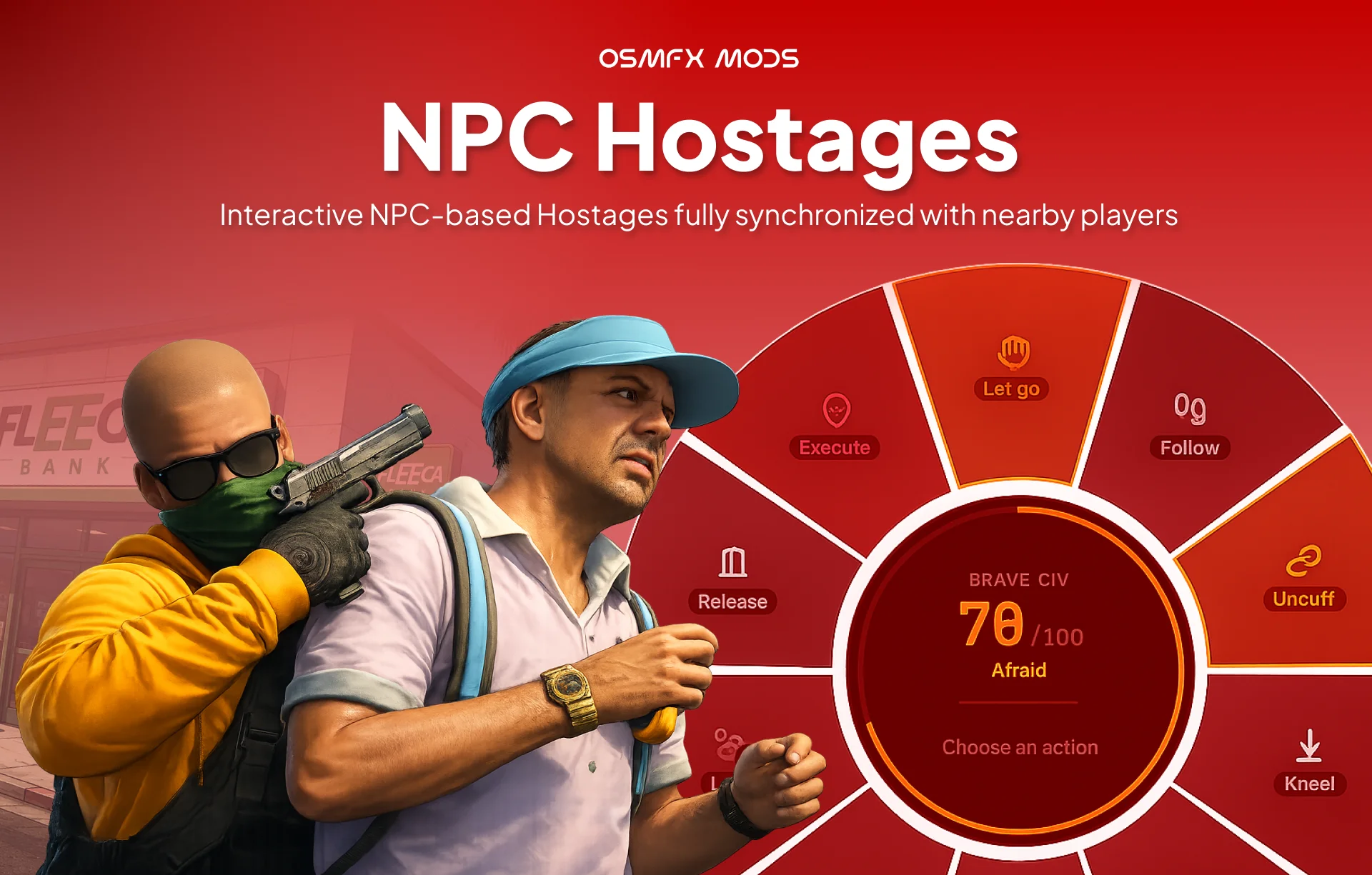
NPC Hostages - Update 1.0.1
What's Changed in v1.0.1
Added
- Custom & Add-on Weapon Support in Admin Dashboard (
/hostageadmin):- The Allowed Weapons section now features a dual-mode weapon row editor.
- Added ability to switch between selecting from standard vanilla GTA presets and typing custom weapon spawn codes (e.g.
weapon_glock17,weapon_m4a1,custom_pistol). - Added automatic detection of custom non-catalog weapons loaded from database/config, rendering them directly in custom text input mode.
- Added inline normalization for weapon spawn codes (trimmed whitespace and lowercased).
Fixed
- Fixed an issue where the dashboard prevented adding custom or add-on weapons when "Restrict to allowed weapons" is enabled.
Compatibility
- Fully backward compatible with existing
osm_hostage_settingsdatabase entries and configurations. No migrations required.
Vehicle Stickers - Update 1.1.0

Changelog 1.1.0
This release introduces the highly requested Stickers Shop, allowing players to purchase individual stickers directly with fixed prices, stock limits, and featured flags. It also includes performance optimizations, improved sticker placement mechanics, and a developer API with 12 integration exports.
New Features
Stickers Shop
- Direct Purchase: Players can now buy stickers individually from a dedicated Shop UI instead of relying solely on crates.
- Bento-Style Shop View: Renders custom sticker tiles, sorting and displaying featured stickers in a larger grid format first.
- Stock & Purchase Controls: Supports limited stock limits (stock parameter), fixed pricing in framework cash (price parameter), and individual sticker trading permissions.
- Independent Toggles: Added settings to enable or disable the Sticker Shop and Crate Shop separately.
Developer Integration & Exports
- 12 New Integration Exports: Added 10 server-side and 2 client-side exports to integrate the stickers ecosystem with external scripts, quest rewards, Tebex webhooks, or admin dashboards.
- Detailed Documentation: Added EXPORTS.md reference containing signatures, arguments, return shapes, and worked examples for server/client side exports.
- Offline Player Support: Server-side exports polymorphic "who" parameter supports both online players (via server ID) and offline players (via direct framework identifier).
Improvements & Quality of Life
- Precise Sticker Rotation:
- Replaced the old 2.0 degrees steps with a fine-grained 0.25 degrees per frame adjustment by default for exact alignments.
- Added a coarse modifier: hold Shift while rotating to spin at a faster 5.0 degrees per frame rate.
- Updated Placement HUD: The on-screen key guide HUD now displays the Shift + Left / Right Arrow "Rotate fast" keybind modifier.
Bug Fixes
- High-FPS Decal Stutter Fix: Reduced client tick sync interval from 60ms to 30ms during placement preview, resolving visual movement lag and stuttering on high-refresh-rate screens.
Database & Configuration Changes
- Safe Additive DB Migrations: Automatically checks and adds missing columns (price, tradable, stock, featured) to the existing osm_vs_sticker_defs table structure on startup.
- Config Options: Added stickerShopEnabled and crateShopEnabled to default configurations in config.lua.
Crime Without Cops: Why FiveM Servers Die From Missing Thrill, Not Missing Scripts
You did everything right. You bought the good robbery script, the fancy heist, the drug system with the nice UI, the car boosting job, the whole crime economy. Opening week the server is buzzing. Two weeks later it's a ghost town, and you're sitting there refreshing the player count wondering what you missed. Here's the uncomfortable part: you probably didn't miss a script. Most servers that quietly die aren't short on content. They're short on consequence. Your players can rob the bank, and then nothing happens. No sirens, no chase, no risk of losing the bag. And a crime you can't lose isn't a crime, it's a vending machine. Let me say the whole point up front, then unpack it: players don't stay for the reward, they stay for the risk of losing it. The dopamine isn't in the money hitting your account. It's in the ten seconds before, when you don't know if you're going to get away. Think about why the bank job is fun in the base game, or in any server that gets it right. It isn't the payout number. It's the alarm going off, the cop showing up when you weren't ready, the decision to run or surrender, the heart-rate spike when you nearly make it to the tunnel. Take the cop out of that picture and you're left with a spreadsheet. Players feel that instantly, even if they can't put it into words. They just log off and don't come back. This is why the "I have every script and still no players" problem is so common. Content gives people something to do. Consequence gives them a reason to care. "Okay, so I'll just turn the game's cops back on." I promise you don't want that, and here's why. GTA V's stock police are famously rough. Get a wanted star and officers essentially spawn on top of you, teleport in from nowhere, and behave in ways that feel more like a bug than a threat. This has been a running complaint in the GTA community for years, and it gets worse in a persistent roleplay world where players expect things to make sense. That's exactly why nearly every FiveM framework ships with the native cops switched off by default. If you dig into QBCore, QBOX, or ESX, you'll find them quietly disabling the whole thing: no random cop spawns, no ambient police cars, wanted dispatch services turned off, even the wanted stars removed from the HUD. They do this on purpose, because the vanilla system fights against roleplay instead of supporting it. Which leaves you with a gap most owners don't notice until it's too late. The frameworks removed the bad cops, and assumed you would bring real ones. On a big, established server, you do: you've got a whole police department full of players. On a new or small server at 3 AM? You've got nobody. Every server owner eventually meets this problem. Your crime scripts run 24/7. Your police force does not. Real officers are the ideal answer when they're online. But you cannot roster a full PD around the clock, especially early on when you're still trying to attract those exact players. So your peak hours feel alive and your off hours feel dead, and the off hours are precisely when a curious new player often shows up to try you out. They rob a store, wait for something to happen, and get silence. First impression: this server is empty and nothing matters here. They leave. You can't hire your way out of that gap on day one. The department comes after the server is fun, not before. So the real question is how you make crime feel risky during all the hours you don't have cops online. When it works, a wanted level should kick off a little story, not a status effect. A response gets dispatched. A cruiser actually comes looking for you. There's a pursuit, and then a real decision point: do you surrender, or do you run? If you're caught, you're not just teleported to a cell. You get cuffed, walked to the car, and driven to jail, and even then it's not over. Maybe you try to pick the lock and dive out of a moving cruiser. Maybe you talk your way out. Maybe you slip the officer some cash and hope it works, knowing it might backfire and land you more time. That is the difference between "you lost, respawn" and a moment players tell their friends about. Every one of those beats is a chance for the outcome to swing, and swing is what makes it worth doing again. You can see a full run of this idea, dispatch through pursuit through the arrest and the escape attempts, in the showcase here: The point isn't any single feature. It's that the crime finally has a second half. The robbery was always only half a scene. The response is the other half, and without it the whole thing falls flat no matter how polished the robbery script is. Practically, you've got three moves, and they're not mutually exclusive. Build a real PD. Do this eventually, it's the best version once you have the population to sustain it. Just don't expect it to carry you through launch. Fake it with base-game cops. Cheap, but you'll be fighting the same broken AI your framework already went out of its way to disable. Most owners try this for a weekend and turn it back off. Fill the gap with a proper AI response layer that steps in when no real officers are on duty, and steps aside when they are. This is the middle path that keeps crime meaningful at 3 AM without stepping on your human police during peak. It's exactly the itch our own AI Law Enforcement script is built to scratch, and it plugs into the crime scripts you already own rather than replacing them. It's easy to believe the next script is the thing that'll finally make your server sticky. Sometimes it is. But far more often the missing piece isn't more to do, it's more at stake. A server lives or dies on whether its moments feel earned, and moments only feel earned when they could have gone the other way. So before you buy the next big crime script, look at the ones you already have and ask what happens to a player the second after they commit the crime. If the honest answer is "nothing," you've found your problem, and the good news is it's a fixable one. If you want a shortcut on the police half of that equation, that's most of what we build over at OsmFX Mods, for QBCore, ESX, and QBOX. And if you'd rather just trade notes on keeping a server alive, that's a conversation I'm always up for.
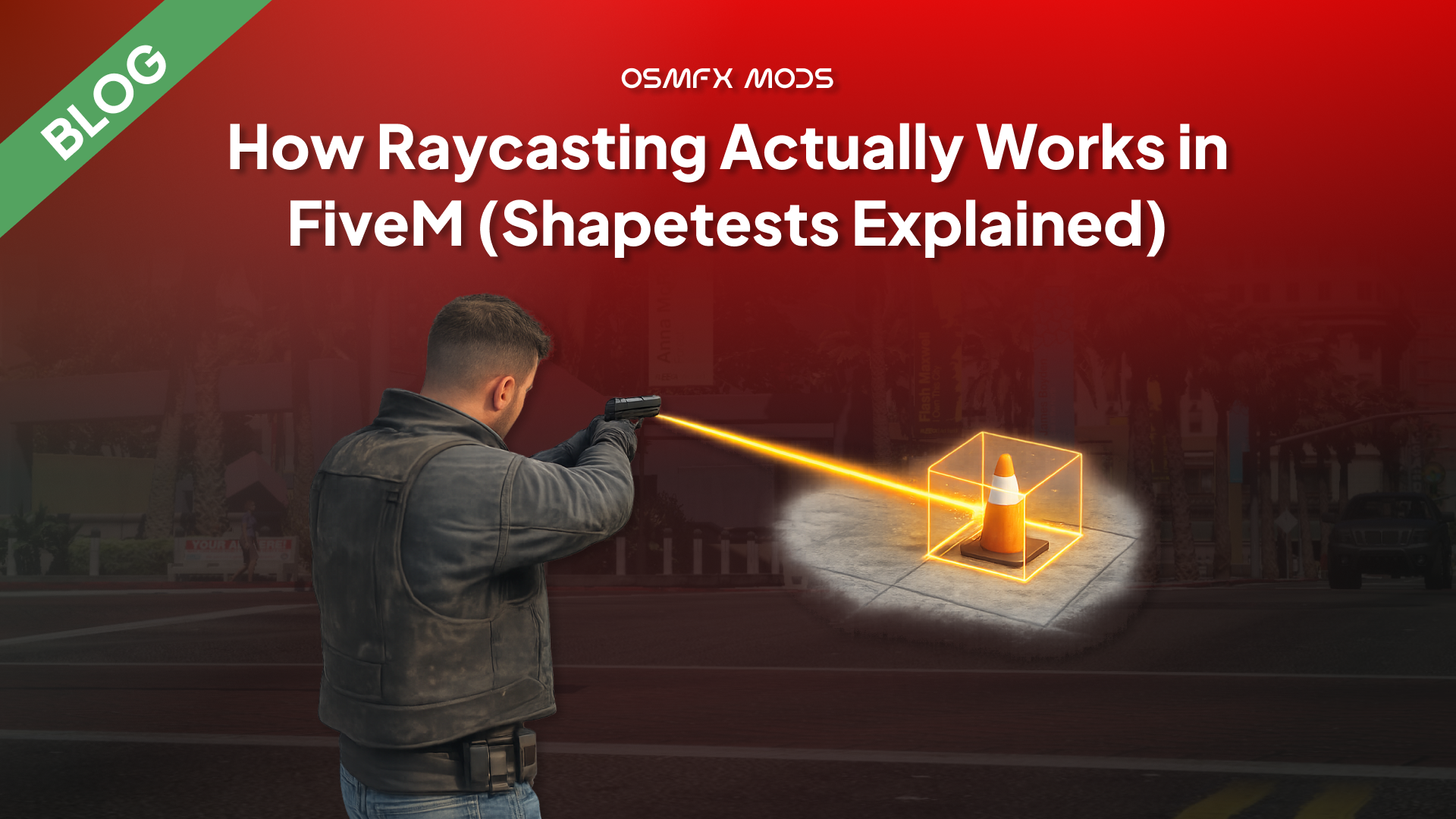
How Raycasting Actually Works in FiveM (Shapetests Explained)
Almost every interaction system you've ever used in a FiveM server is quietly asking the same question: what is the player looking at right now? Pointing at a door to open it, aiming at a ped to check their ID, placing a prop where your crosshair lands, the little "press E" that appears only when you face the right object — all of that comes down to firing an invisible line into the world and asking what it hit. That invisible line is a raycast. And the first time you go looking for a Raycast() function in FiveM, you won't find one. What you find instead is a family of natives with intimidating names like StartShapeTestLosProbe and GetShapeTestResult, a flags argument nobody explains, and forum threads full of people asking why their raycast "returns nothing." So let me actually walk through how this works under the hood — not just the copy-paste snippet, but why it's shaped the way it is, so the gotchas stop being mysterious. Here's the whole thing in a sentence, and then we'll unpack every word of it: FiveM doesn't give you an instant raycast — you start a shape test, then read the result once the engine has it (typically the following frame), and a set of flags decides what the ray is even allowed to hit. If that already clears things up, great, the rest of this post is the details. If it raised more questions than it answered, that's the right reaction — because two things in there trip up basically everyone: the "start now, read later" split, and the flags. Forget the native names for a second. Conceptually a raycast is dead simple. You have a start point and an end point — two sets of world coordinates — and the engine draws a straight line between them and tells you the first thing that line runs into. In GTA's engine (and therefore FiveM) this is called a shape test, because a ray is just one shape you can cast. You can also sweep a sphere, a box, or a capsule through the world, but a straight line ("LOS probe", for line-of-sight) is by far the most common, so that's what we'll focus on. When the ray hits something, the engine hands you four pieces of information: - hit — did it hit anything at all? (a boolean) - endCoords — the exact world position where it stopped - surfaceNormal — the direction the hit surface is facing (useful for placing props flush against walls) - entityHit — the handle of the entity it hit, or 0 if it hit the map itself (a wall, the road, terrain) That entityHit return is the quiet hero of interaction scripts. GetEntityType(entityHit) tells you instantly whether you hit a ped (1), a vehicle (2), or an object (3) — which is exactly how a targeting script knows whether to show you "talk to person" or "open trunk." Here's the design decision that confuses people. In most engines you'd call raycast(a, b) and get an answer back on the same line. FiveM's main shape test does not work that way. You call one native to kick off the test, and it immediately returns a handle — a little ticket number. The actual result isn't ready yet. You take that ticket to a second native, GetShapeTestResult, to collect the answer. FiveM officially documents this native as StartShapeTestLosProbe; you'll also see older examples and community wrappers refer to it as StartShapeTestRay. Notice the second native returns the values in Lua rather than filling in pointers like the raw C signature suggests; the FiveM Lua runtime handles that unpacking for you. The catch is that first return value, retval. It's a status code — the one you actually need to care about is 1, which means "not ready yet, ask again": So the correct pattern for an asynchronous shape test is to poll: start it, then keep calling GetShapeTestResult until the status is no longer 1, waiting a frame between tries. Don't assume a fixed number of frames — just loop until it's ready. Why the async split at all? Because a shape test isn't free — it runs against the physics world — and the engine wants to batch that work rather than stall your thread mid-frame every time you ask. Once you internalise "start now, read once it's ready," ninety percent of the "my raycast returns nothing" confusion disappears: people are reading the result on the same line they started it, before the engine has had a chance to answer. The single most common use is casting a ray straight out of the player's camera, so you can tell what they're aiming at. There's no native that does this in one call — you build the ray yourself from the camera's position and rotation. The origin is easy: GetGameplayCamCoord(). The direction takes a little trigonometry, converting the camera's rotation into a forward vector: Put those together and you've got a working "look at" cast. Here the ray starts at the camera, shoots 50.0 units forward, and ignores the player's own ped so you don't just hit yourself: That's the skeleton behind every third-eye / targeting resource you've used. qb-target, oxtarget, interaction menus — under all the polish, they're firing a camera ray and reacting to entityHit. This is the argument nobody explains and everyone copies blindly. The flags value is a bitmask that tells the shape test which categories of thing it should collide with. Leave out a category and the ray passes straight through it as if it weren't there — which is exactly why so many "my raycast ignores vehicles" posts exist. The ray isn't broken; the flag for vehicles just wasn't set. The values people rely on in practice: Flag Hits ------------ 1 Map / world geometry (buildings, terrain, roads) 2 Vehicles 4 Peds (non-player) 16 Objects & props -1 Everything Because it's a bitmask, you combine categories by adding them. Want only the map and vehicles? 1 + 2 = 3. Only props and peds? 4 + 16 = 20. And -1 is the "hit anything" catch-all, which is what most interaction casts use. A few things that aren't obvious until they bite you: This is client-side only. Shape tests run against the local physics/streaming world, so they live on the client. There's no server-side raycast — the server doesn't have the streamed collision geometry to test against. If the server needs to know what someone's looking at, the client casts the ray and reports the result (and then, per good server-authoritative design, the server validates that result rather than trusting it blindly). entityHit == 0 means you hit the world, not nothing. A common mix-up: people check entity = 0 to mean "hit something." But hit can be true with entityHit at 0 — that's a wall or the road. Use the hit boolean to know whether you hit, and entityHit to know what. The surface normal is not a world coordinate. surfaceNormal is a direction (which way the hit surface faces), not a position. It's gold for placing objects flush against a wall or aligning a decal, but if you try to treat it like endCoords you'll get nonsense. Don't fire one every single frame if you don't need to. A camera ray in a Wait(0) loop runs your shape test 60-plus times a second forever. For a "press E to interact" feature you only need to cast when the player presses E, or throttle a continuous highlight cast to something like every 200–300ms. This is the same dynamic-sleep discipline that keeps any FiveM loop off your resmon — casting rays is cheap individually and expensive in bulk. Raycasting feels like a big scary systems topic until you see the shape of it: it's a line, a handle you cash in a frame later, and a bitmask that decides what counts. Once those three ideas click, the whole family of interaction features — targeting, prop placement, "look at to interact," aiming logic, even parts of how weapons and cameras reason about the world — stops looking like magic and starts looking like the same small pattern reused. That's honestly the theme of most FiveM engine work. The natives have odd names and the docs are terse, but underneath there's usually one clean idea the engine is nudging you toward. Learn where that idea is, build with it, and your interaction systems end up both simpler and faster than the copy-pasted version. A raycast doesn't tell you what's there. It tells you what's there right now, on this client, along this exact line. Respect that, and half the weird bugs never happen. --- At OsmFX Mods we build interaction-heavy scripts for QBCore, ESX, and QBOX — targeting, placement, and "look at it to use it" systems that are cast efficiently and validated server-side, not fired blindly every frame. If you'd rather install things that already handle this cleanly, take a look around the store. And if you're building your own targeting system and something's behaving strangely, this is exactly the kind of problem I enjoy digging into — that's most of what we write about here.
9 FiveM Coding Anti-Patterns That Quietly Break Your Server
I spend a lot of time reading other people's FiveM scripts. Some of it is research, some of it is curiosity, and honestly some of it is just that I can't help opening a client.lua the way other people can't help checking their phone. And after enough of that, you start seeing the same handful of mistakes over and over — not exotic bugs, just patterns. Ways of writing code that technically work on an empty test server and then quietly fall apart the moment thirty real players show up. The tricky thing about anti-patterns is that most of them don't announce themselves. Your script loads, the feature works when you test it alone, the release thread gets a few likes. The damage shows up later — as server hitches nobody can trace, as an economy that slowly inflates, as a "why can't I get my car out of the garage" ticket that turns out to be three resources fighting over the same value. So I want to walk through the ones I see most, sorted roughly by how hard they are to catch. We'll start with the stuff you can spot by eye, move into the ones that need you to actually think about how the server behaves, and end with the quiet, critical ones that don't look like bugs at all until someone exploits them. Every point here is something I've either seen in a real release or run into myself. Before the list, one framing that's saved me a lot of grief. How visible a mistake is and how much damage it does are two completely different axes. A missing Wait crashes your client instantly — extremely visible, and you'll fix it in ten seconds. A missing server-side check does nothing at all until a cheater finds it six months in, and then it drains your economy overnight. So as we go from "easy" to "critical" here, we're not going from small to big. We're going from loud to silent. The loud ones train you. The silent ones are the ones that actually take servers down. The most famous FiveM footgun. A loop that never yields hangs the entire thread — and because everything in a resource shares that scheduler, an infinite loop with no Wait can freeze your whole client or server solid. Everyone learns this one fast, because it fails so hard you can't miss it. The Cfx.re docs on Citizen.CreateThread spell it out: a CreateThread loop needs a Wait inside it or it starves the scheduler. But the sneakier version of this isn't the missing Wait — it's the too-frequent one. Wait(0) runs your loop every single frame. That's correct and necessary for things that genuinely must draw every frame (like DrawMarker or DrawText3D), but people reach for it reflexively for logic that has no business running 60-plus times a second. The fix is just to ask "how often does this actually need to happen?" and set the wait accordingly. A HUD value that changes when your job changes can poll once a second, or better, only update when it's pushed a change. This is the single cheapest performance win in FiveM and it costs you nothing but a moment of thought. This is the same instinct as above but it shows up specifically around drawing and distance checks, and it's worth its own section because it's everywhere. DrawMarker and DrawText3D genuinely have to run every frame to appear — that part's unavoidable. What's avoidable is running the distance math and the loop over every marker every frame, including the markers that are 300 metres away and invisible. The pattern that fixes it is the "dynamic sleep" loop: default to a long wait, and only drop to Wait(0) when the player is actually near something that needs per-frame drawing. When nobody's near a marker, that loop sleeps a full second and costs essentially nothing on resmon. When you walk up to one, it snaps to per-frame drawing. Same visual result, a fraction of the cost. The community performance guides have been preaching this for years and it still gets ignored constantly. One small companion habit while you're in here: use (vectorA - vectorB) for distance, not GetDistanceBetweenCoords. The vector-length operator is a native Lua operation and measurably faster than the native call — small on its own, but it's the kind of thing that runs thousands of times a second. The third eye-catchable one: calling the same native over and over when one call would do. The classic is PlayerPedId() — I've genuinely seen scripts call it a dozen-plus times inside a single function, when the ped handle is the same for the whole call. Individually these calls are cheap. But cache them anyway — partly for the tiny performance gain, mostly because the cached version is easier to read and reason about, and readability is what stops the next three tiers of bugs from creeping in. Clean local variables are a load-bearing habit, not a cosmetic one. Here's one straight from a real release. While reviewing a free ESX plate-switcher script on the forums, I found this on the client: Read that carefully. Every client, ten times a second, forever, fires two server events — and on the server those events run database queries. So you've built a system where a hundred connected players generate two thousand database round-trips per second, whether or not anything changed. The data it's fetching updates maybe once every few minutes when someone tapes a plate. It's polling a mailbox ten times a second for a letter that arrives twice a day. This is the pattern to internalise: don't poll for state that changes rarely — push it when it changes. The server already knows the moment the plate data changes, because it's the one changing it. So have it TriggerClientEvent the affected client(s) at that moment, and let the client sit quietly the rest of the time. You go from thousands of queries a second to a handful an hour. For truly shared state, this is also exactly what state bags exist for — set a value once and it syncs to whoever needs it. This one is genuinely subtle and it was hiding in that same plate-switcher. The client stored fetched data into plain globals: That loop doesn't collect the data — it walks the whole dataset and keeps only the last row. Because those variables are global and unscoped, each client ends up tracking whatever the most recently taped vehicle on the entire server was. Play it forward. Player A tapes their car. Later, Player C tapes theirs. Player A's identifiern just got silently overwritten with Player C's identifier. So when Player A tries to un-tape their own vehicle, the ownership check: now fails, because identifiern belongs to Player C. In practice only the last person to tape anything can un-tape. Everyone else is locked out of their own action, and nobody can figure out why because the code "looks fine." The lesson isn't about plates. It's that any time data belongs to a specific player or entity, it needs to be scoped to that player or entity — a table keyed by identifier, a state bag on the entity, something with a per-owner slot. The moment you stash per-player data in a shared global, you've built a race condition that only shows up with more than one player online. Which is exactly why it survives testing and dies on launch night. Resources start and stop constantly on a live server — restarts, updates, crashes, txAdmin doing its thing. If your script spawns entities, opens threads, or creates blips and never cleans them up on stop, you leak. Restart a vehicle-spawner resource a few times and you'll find orphaned vehicles piling up in the network object viewer, each one still eating a network slot. The habit that prevents it is an onResourceStop handler that tears down everything the resource created: You won't notice a missing cleanup handler in a quick test. You notice it three weeks in, when the server's been up for days and something feels heavier than it should. If you take one thing from this whole post, take this. The client is in the hands of the player, and the player might be running a cheat menu. Any event you register with RegisterNetEvent can be triggered by any client, with any arguments they choose. A Lua executor makes TriggerServerEvent('bank:deposit', 99999999) as easy as typing it. So the anti-pattern is any server event that takes the client's word for something that matters. The Cfx.re server-security guide gives the canonical bad example: Nothing stops a player from calling that with ('goldbar', 9999). The fix isn't a single line — it's a mindset. Every event that changes money, items, or state must re-derive the truth on the server: does this player actually have an active job? Are they physically where the action requires? Is the amount within sane bounds? Have they done this suspiciously often? The docs' secure example gates item-giving behind a server-tracked job state and a distance check, and resets that state after use so it can't be replayed. That's the shape you want. Three concrete habits that go a long way: First, register events in the right context. Use RegisterNetEvent only for events that genuinely need to cross client↔server. For internal events, AddEventHandler keeps them non-networked so a cheat client can't reach them at all. You can even hard-block same-context calls by checking if source = 65535 then return end on server events that should only ever come from the server itself. Second, validate every input as if it's hostile, because it might be. Never addItem(item, count) from raw client arguments. Third, rate-limit anything that touches the economy, so even a "valid" event can't be spammed a thousand times a second to duplicate money or farm items. This is the one that keeps me up a little. SQL injection is ancient, well-understood, and still shows up in FiveM resources — usually anywhere user input reaches the database. The pattern looks harmless: If newName is a normal name, fine. If newName is ', money = 999999 WHERE 1=1 -- , you've just handed a player the ability to rewrite your entire players table. Any input field — a character name, a /report reason box, an admin note — is a door if you concatenate it straight into SQL. There are real FiveM admin panels that shipped with exactly this hole. The fix is total and simple: always use parameterized queries. Every modern FiveM database layer — oxmysql, mysql-async — supports ? placeholders that bind values safely instead of splicing them into the query text: With placeholders, newName is always treated as a string value, never as query structure, no matter what characters it contains. There is essentially never a good reason to concatenate user input into a query. If you see .. someVariable .. inside a SQL string in a resource you're evaluating, treat it as a red flag and go read the rest of that resource carefully — where there's one, there are usually more. The most invisible one, and the hardest to reason about, because it's about timing and ownership in a networked game. In OneSync, entities are owned by whichever client is closest / streaming them, ownership migrates as players move, and a network ID you got a moment ago might refer to an entity that no longer exists on your client — or that you don't own and therefore can't modify. The anti-pattern is code that assumes an entity handle is always valid and always yours: If that vehicle isn't streamed on your client, or another client owns it, this can quietly fail — no error, just nothing happens. And state bags only sync reliably once an entity is properly networked and within range, so setting a state bag on an entity you've just requested, before it actually exists everywhere, leads to values that mysteriously don't propagate. There's no one-line fix, but the defensive habits are: always guard with DoesEntityExist before you touch a handle; if you must modify an entity you don't own, request control and wait for it rather than assuming; prefer server-side entity creation and state for things that must be authoritative; and remember that a network ID is a reference across the session, not a guarantee the thing is on your screen right now. This is the category of bug that produces "it works for me but not for my friend" reports, and the reason is almost always that two clients disagreed about who owned what, and when. If you line all nine up, there's a single thread running through them. The easy ones are about respecting the frame — not doing work the game doesn't need done. The moderate ones are about respecting time and other players — data that's scoped correctly and pushed instead of polled. And the critical ones are all one idea wearing different clothes: decide where the truth lives, and never trust anything on the wrong side of that line. The client isn't the truth. A network ID isn't a guarantee. A raw string isn't safe input. None of this requires being a genius. It requires slowing down for a second and asking who owns this data, how often does this really need to run, and what happens when the person on the other end is hostile. That second of thought is, honestly, most of what separates a script that survives launch night from one that becomes a support ticket. A resource that works when you test it alone is not a resource that works. It's a resource that hasn't been tested yet. That's the whole game. The engine has rules about frames, about ownership, about trust — and good FiveM development is mostly learning where those rules are and building with them instead of finding out the hard way. --- At OsmFX Mods this is basically our whole philosophy — performance-first, server-authoritative scripts for QBCore, ESX, and QBOX that are built to hold up under real player load, not just pass a solo test. If you'd rather install things that already got this stuff right, have a look around the store. And if you've got a script you're not sure about, reviewing code like this is genuinely one of my favourite things to do — that's exactly the kind of thing we write about here.
How to Render a Live Web App onto a 3D Screen in FiveM (DUI Explained)
Walk up to an ATM in most FiveM servers and you get a menu that opens in front of the world — a fullscreen NUI panel floating over the game. It works, but it always breaks the illusion a little. Your camera is standing at the machine, and yet the interface is pasted across your whole monitor. So when we built our ATM system, we wanted the interface to live on the machine — a real, animated banking UI rendered onto the actual ATM screen texture, warping and sitting in 3D space exactly where your eyes expect it. Card animations, a keypad, balance screens, the works, all glued to the prop. That's not a fancier NUI. It's a completely different rendering path called DUI, and it comes with one genuinely tricky problem nobody warns you about. Let me walk through how it actually works — and then the part that took the longest to get right. If you've read our post on how FiveM renders your UI, you already know the important bit: your UI is a web page running inside an embedded Chromium browser (CEF), and FiveM composites that on top of the game at the end of each frame. Normal NUI takes that browser output and stretches it across your entire screen. That's why an inventory or a HUD sits over everything. DUI — "direct-rendered UI" — takes the exact same kind of web page and renders it to a runtime texture instead of your screen. A texture is just an image the game engine can paint onto any surface. Once your UI is a texture, you can slap it onto an ATM screen, a TV, a billboard, a laptop prop — anywhere the engine draws pixels. Same React app. The only difference is where the final image lands. Getting a web page onto a prop is a five-step handshake between CEF and the game's texture system. Here's the whole chain we use, start to finish. First, you spin up the browser off-screen: CreateDui loads your page into a browser that renders nowhere yet, at a fixed resolution (1326×1004 in our config — pick something that matches the aspect ratio of the screen you're targeting). GetDuiHandle hands you back a reference to that browser's output — the live pixels. Next, you wrap those pixels as something the game can actually draw: CreateRuntimeTxd makes an empty texture dictionary — think of it as a named folder the engine can look textures up in. CreateRuntimeTextureFromDuiHandle then drops your live browser output into that folder as a texture called atmduitex. From here on, the game treats your React app as if it were any other image asset. Finally, the magic swap: AddReplaceTexture tells the engine: anywhere you would have drawn the ATM's original screen texture, draw mine instead. Every propatm01 in the world now renders your live UI on its screen. Because it's a real texture on a real surface, it skews, lights, and sits in 3D space for free — you're not faking perspective, the engine is doing it. To actually update what's on screen, you don't reload anything. You message the page just like NUI, but with the DUI-specific native: Your React app listens for that message and re-renders. The texture updates automatically on the next frame. Here's the wall everyone hits. Your beautiful UI is now a texture warped onto a machine in 3D space. A player walks up… and there's no mouse. There's no cursor on that ATM screen. FiveM does expose SENDDUIMOUSEDOWN / SENDDUIMOUSEMOVE natives, but they take browser coordinates — an (x, y) inside the 1024×1024 page. You don't have that. You have a player looking at a skewed quad somewhere in Los Santos. Translating "the player is looking at the top-right of a tilted screen 40 metres away" into "pixel (812, 190) of the browser" is genuinely nasty geometry. So we flipped the problem around. Instead of turning a world look-point into a screen pixel, we project the buttons out into the world and check what the player is aiming at. The trick works like this. Every button on the ATM face has a fixed offset from the prop's origin. When a session starts, we rotate each of those offsets by the ATM's heading and add it to the machine's world position — giving us the real 3D coordinate of every button in the world: Then, every frame, we do the reverse of a mouse click. We lock the camera to the machine and put a small crosshair dead-center. For each button, we ask the engine where its world position lands on the screen, and measure how close that is to the center: Whatever button is nearest the crosshair (within a small threshold) is the one the player is "hovering." We push that to the UI with a message so React can light it up, and if they left-click, we fire the button's logic and send a click animation back to the page: The player never actually touches the browser. They aim a crosshair at a machine; we do the 3D-to-2D math; the UI just receives "highlight button 5" and "click button 5" as plain messages. From the outside it feels like pointing at a real screen. Under the hood it's raycasting-by-projection, and the browser is blissfully unaware anyone is interacting with it at all. A few honest caveats, because DUI is powerful but it's not a free lunch. AddReplaceTexture is experimental. The native is officially flagged as such, and it has a real history of breaking between client branches — it's worked reliably on Release while misbehaving on beta/latest builds at various points. If you ship something on DUI, test it across the branches your players actually run. You have to find the right texture name. Swapping the ATM screen means knowing the exact texture dictionary and texture name the game uses for that prop's screen — propcashpointscreen for propatm01, propfleeceemis for the Fleeca ATM, and so on. These aren't documented anywhere tidy; you dig them through model-viewing tools or lean on prior art. Get the name wrong and you're either replacing the machine's plastic housing or nothing at all. One browser, one texture — mind your resolution. A 1300×1000 DUI is a full off-screen Chromium surface being uploaded to the GPU. It's cheap when it's a single ATM you only render during a session, but DUI is not something you want running on fifty props at once with no lifecycle management. We create the browser on demand and tear it down (DestroyDui, RemoveReplaceTexture) when the session ends. Not for your HUD. Not for your inventory. Those want to be crisp, fullscreen, and mouse-driven — plain NUI is the right tool and always will be. DUI earns its keep the moment a UI should feel like it belongs to an object in the world: an ATM screen, a gas-pump display, a laptop, a TV showing a live feed, an in-world advertising board, a nightclub visualizer. Anything where "the interface is part of the scene" is the whole point. That immersion is exactly what a fullscreen panel can never give you, and it's why we went down this road for the ATM instead of shipping one more menu that covers the screen. The difference between "a menu opened" and "I'm using that machine" is entirely in whether the UI lives in the world or on top of it. DUI is how you cross that line. Once you've seen a real, animated web app sitting on a screen in 3D space — reacting as you point at it — it's hard to go back to fullscreen panels for anything that's supposed to feel physical. --- We build this kind of thing for a living. The OsmFX ATM system is open source if you want to read the full implementation, and if you're after polished, performance-first scripts and UIs for your QBCore, ESX, or QBOX server, have a look around the store. We care about the details that make a server feel real.
Why backdrop-filter Blur Doesn't Work in FiveM (and What CEF Is Actually Doing)
Every FiveM developer hits this wall at some point. You've built a clean inventory or a HUD, you want that frosted-glass look everyone loves — a soft blur of the game showing through your panel — so you reach for the one line of CSS that does it everywhere else on the web: And… nothing. Or worse, a flickering mess, or a flat black rectangle where the blur should be. You didn't do anything wrong. This is one of those FiveM quirks that looks like a bug in your code but is actually baked into how the game renders your UI in the first place. I've shipped a lot of NUI over the years at OsmFX, and this is easily in the top five "why is this not working?" questions I get. So let me explain what's actually happening under the hood — not just "it doesn't work, use an image instead," but why, so the next time you design a UI you know exactly what you're fighting. When you play FiveM, what you see on screen isn't one image. It's two layers, rendered by two different systems and blended together right at the end: The game view — Los Santos, cars, players, everything — is rendered by Rockstar's RAGE engine on the GPU. Your UI is something else entirely: FiveM embeds Chromium Embedded Framework (CEF), and your NUI resource is just a web page running inside it. CEF renders that page to its own transparent surface — think of a sheet of glass with your UI painted on it and transparency everywhere else. Finally, FiveM composites the browser surface over the game frame to produce what you see on screen. Here's the catch: a normal NUI page never receives the game's rendered image as part of its DOM or CSS rendering context. From the browser's point of view, behind your panel there is no street, no car, no sky — only transparency. So when backdrop-filter asks, "what's behind me so I can blur it?", CEF has no game pixels to sample. Depending on the Chromium version and GPU, that can result in no blur at all, black artifacts, or inconsistent rendering. The blur isn't broken. It's doing exactly what it's designed to do — there simply isn't a browser backdrop containing the game image. Even if you got clever, there's another layer of isolation. Every NUI resource on your server runs in its own fullscreen iframe. Your HUD, your inventory, your phone — each is a separate browser context that can't directly access the DOM of another resource. This is great for stability — a broken script can't take down every other UI — but it's also why you can't simply "grab the frame behind me and blur it" in JavaScript. There's no shared browser canvas containing the game framebuffer, no API that lets ordinary NUI pages read the rendered game image, and no direct DOM access between resources. Those boundaries are intentional. Right, and this is the part that drives people crazy. The FiveM main menu and some built-in interfaces do show a blurred game background. So it's clearly possible? It is, but not through ordinary backdrop-filter alone. That functionality exists, but it's relatively specialized, sparsely documented, and not a drop-in replacement for the average inventory or HUD. Here's what holds up in production, roughly in order of how much pain each one saves you. Ninety percent of the time, the practical solution is to fake it. Use a pre-blurred background image, a blurred artwork, or another design treatment that gives the same visual feel. Pair it with a semi-transparent overlay like rgba(0,0,0,0.5) and most players will never notice the difference. It performs well, behaves consistently, and doesn't depend on browser quirks. A well-designed opaque UI with good spacing, subtle borders, and tasteful transparency often looks more polished than an inconsistent live blur. Some of the cleanest FiveM UIs never use blur at all. If a live, animated blurred background is genuinely a requirement, then it's worth exploring approaches built around x-cfx-game-view / CfxTexture. Some developers integrate these into more advanced rendering pipelines, including custom Three.js-based approaches. This is significantly more complex, may require maintenance across FiveM updates, and is best reserved for flagship interfaces where the visual effect justifies the engineering cost. For render targets and in-world screens, DUI (Direct-rendered UI) is a different rendering path with different capabilities. It's useful to understand, but it doesn't make ordinary HUD backdrop-filter effects suddenly work. The reason backdrop-filter: blur() doesn't work in a normal FiveM NUI isn't because your CSS is wrong — it's because of how the rendering pipeline is designed. The game and your browser UI are rendered separately, and a standard NUI page has no access to the game's pixels while CSS is being evaluated. On top of that, every resource runs in its own isolated browser context. Once that clicks, a lot of other NUI quirks start making sense too: why you can't read the game's framebuffer from JavaScript, why resources can't directly style each other, and why certain effects that work perfectly on the web don't translate directly into FiveM. Good FiveM UI development is mostly this: understanding where the engine's boundaries are, and designing with them instead of fighting them. Blur is simply one of the first walls almost every developer runs into. If you understand where the renderer's boundaries are, you stop writing CSS that fights them — and your UI ends up cleaner because of it. --- At OsmFX Mods we build performance-first scripts and UIs for QBCore, ESX, and QBOX servers — the kind that look sharp without fighting the renderer. If you're putting together a server and want UI that actually holds up in production, browse the store. Got a FiveM quirk you want explained like this? That's exactly the kind of thing we write about here.


Interior Detection
I've mention this on the discord but I'll put it here as well. The need, optionally, is for interior detection. The point is to allow players to finish their robberies (shop, liquor store) and heists (bobcat, casino) before police are dispatched. For example, some shop robberies dispatch police immediately when the first register is broken open and players are unable to complete the rest of the robbery because AI Police are shooting them through the window. The other example are heists like Casino where players are so deep into a shell that the police have been evaded before they even leave the shell.
The idea is to detect when the player is inside interiors (i.e. inside a shop, or a shell like the casino heist) and only dispatch police when players exit the interior. This allows players to finish their robberies and exit the interiors before needing to evade police. This also solves the issue of evading police by entering interiors.
All of this can be achieved using state bags and player metadata. A thread containing a loop that monitors interior detection when players are wanted is all that is needed. When players are inside, suppress police presence, as soon as players leave the interior, dispatch the police. While inside interiors or if a player disconnects, their wanted status (stars) are safely stored in player metadata so upon existing interiors or returning online, the police can engage the player.
I can share a snippet I have for this if needed. TIA.
Update 2.1.0
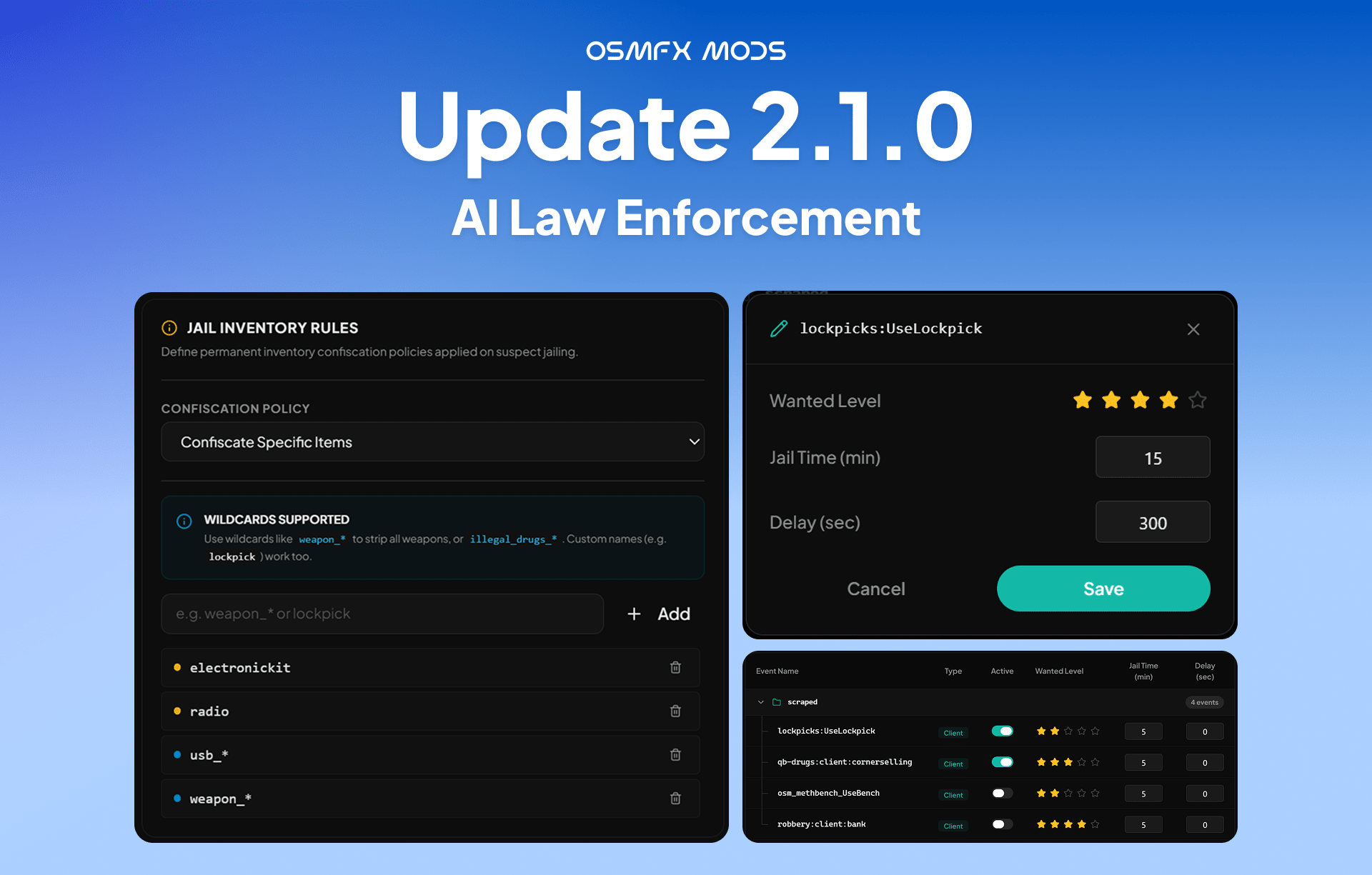
Changelog
Features and Bugs Resolved
New Features
- Revive players immediately upon arrest instead of at the jail, preventing them from exploiting the interaction to be transported to the hospital when the bleed-out timer is shorter than the transport time.
- Remove specified items from a player's inventory upon jailing, based on configurable settings. Item removal is permanent, supports wildcards (for example
weapon_*), and works with ox_inventory. - Support configurable jail durations for different arrest events.
- Add configurable delayed wanted-level activation for specific scenarios, such as heists (for example, dispatch the police a set number of seconds after the crime).
- Optional on-screen countdown warnings before a delayed wanted level is triggered.
- Provide both client-side and server-side exports, plus a simple trigger event, to enable seamless integration with external resources — including a dedicated guide (
INTEGRATION.md) for escrowed/closed-source scripts.
Bugs Resolved
- Fixed an issue where wanted levels could still be applied to a player after they had already surrendered, were being transported, or were jailed. No new crimes are registered once a player is in custody.
- Fixed players getting stuck and unable to move after being handcuffed, and their arrest animation glitching, caused by other police scripts trying to apply their own handcuff behaviour at the same time.
- Fixed the arrest sequence so a living, surrendering player now correctly walks to the transport vehicle and gets in, instead of standing still and being teleported inside.
- Fixed the death arrest so players are no longer teleported to a spawn point the moment they die while wanted. The transport now arrives, the officer revives them, and the arrest continues normally.
- Fixed police voice lines not playing during pursuits and arrests.
⚠️ Caution — please read before updating This update includes changes to the bridge files (
client/bridge.luaandserver/bridge.lua). If you have customized your own bridge files (for example, to fit a custom framework, jail, hospital, or inventory system), do not blindly overwrite them with the new versions. Back up your current bridge files first, then merge the changes in manually so your customizations are preserved.